

When it comes to On-Page SEO, keyword placement is crucial. However, the keywords you place on your website shouldn’t be arbitrarily chosen based on your products alone. Instead, they should align with both search habits and your product offerings. How do you find these keywords? The most efficient method is to find keywords for SEO by identifying your competitor’s website keywords, selecting the ones that suit your needs, and incorporating them into your website.
Let’s get started by showing you exactly how to do this.
Step-by-Step Guide to Finding Competitor Keywords
1. Understanding Keyword Intent
First, you need to understand a key concept: keyword intent. In Google searches, keyword intent generally falls into four main types:
- Navigational Intent: Users search for a specific brand or website, intending to navigate directly to it.
- Informational Intent: Users seek specific information or general knowledge on a topic.
- Commercial Investigation Intent: Users compare or investigate before making a purchase decision.
- Transactional Intent: Users are ready to make a purchase or engage in a transaction.
Let’s use a B2B cosmetics website as an example, with the primary keyword being “cosmetics wholesale.” We’ll search using the four types of keyword intents:
Navigational Intent
- Keyword Example: “Sephora cosmetics wholesale site” or “MAC cosmetics wholesale website”
- User Intent: To directly find the wholesale pages of Sephora or MAC.


Informational Intent
- Keyword Example: “What is cosmetics wholesale” or “How to start a cosmetics wholesale business”
- User Intent: To understand the basics of cosmetics wholesale or learn how to start a cosmetics wholesale business.

Commercial Investigation Intent
- Keyword Example: “Best cosmetics wholesale suppliers” or “Cosmetics wholesale vs retail”
- User Intent: To compare different cosmetics wholesale suppliers or understand the differences between wholesale and retail to make an informed purchase decision.

Transactional Intent
- Keyword Example: “Buy cosmetics wholesale” or “Cosmetics wholesale suppliers near me”
- User Intent: To find suppliers or websites where they can purchase cosmetics wholesale.

2. Searching for Competitor Keywords
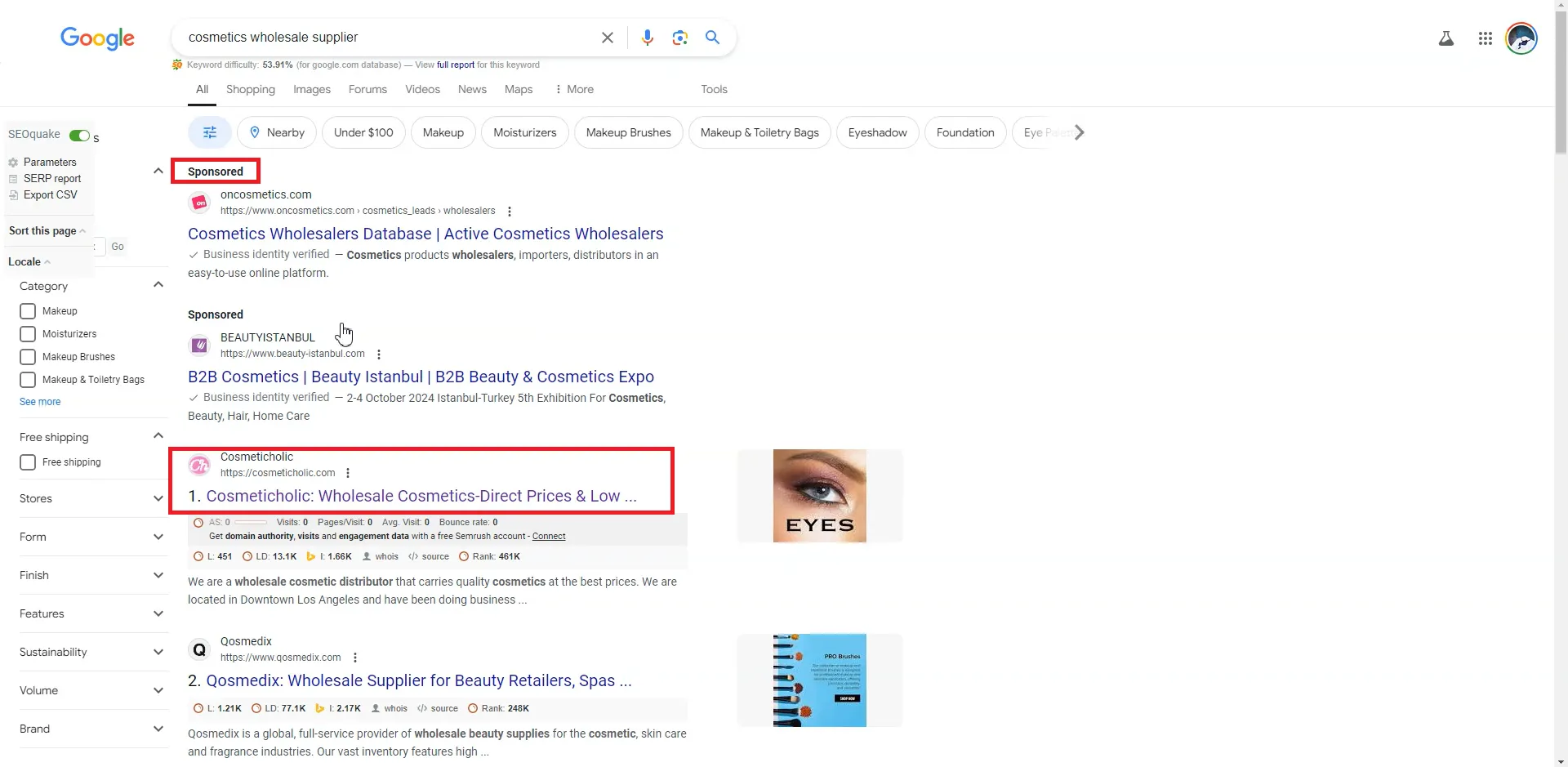
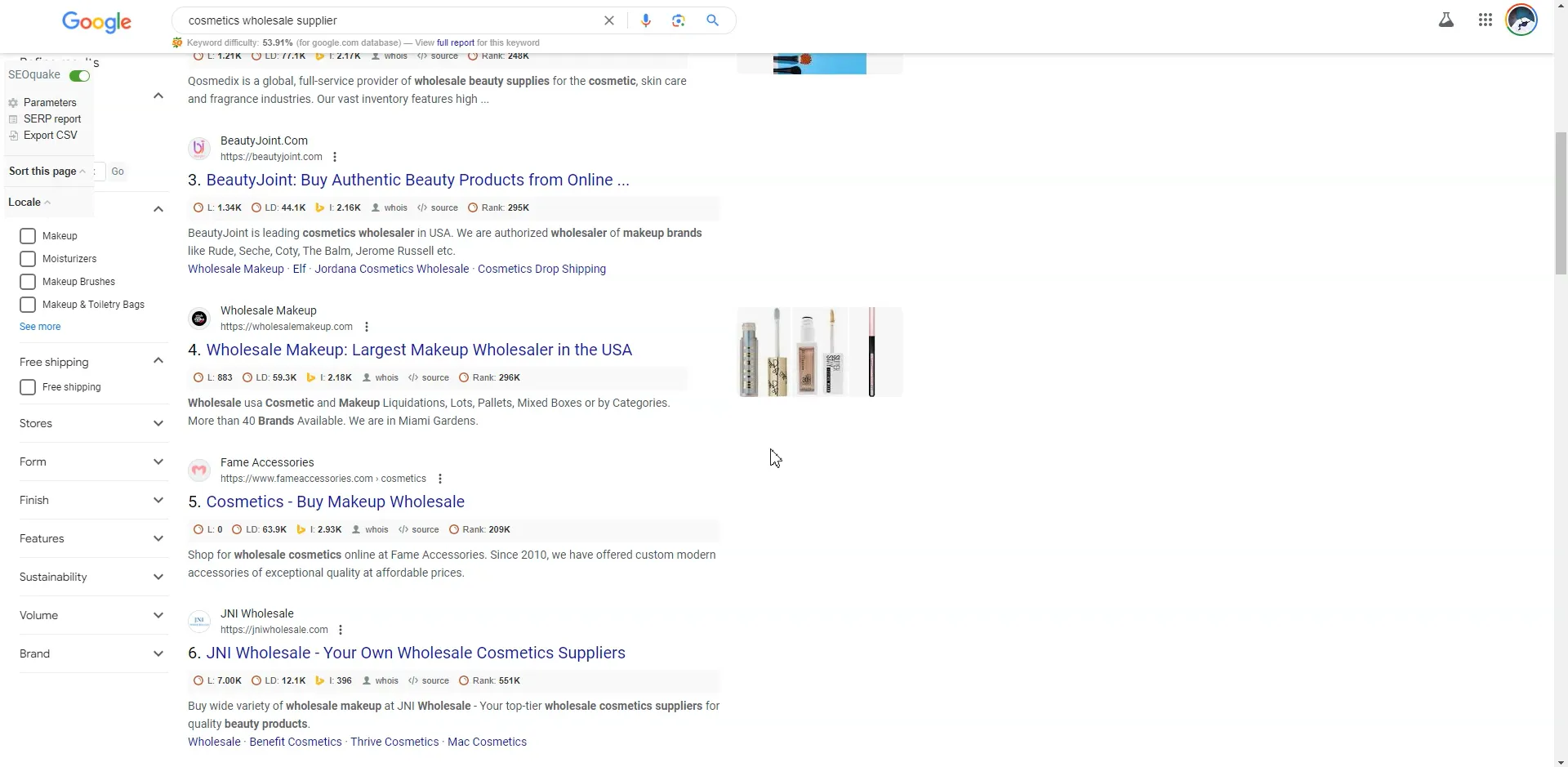
We’ll use a transactional intent keyword to search: “cosmetics wholesale supplier.” After the search results appear, you’ll notice that the top two results are marked with “Sponsored,” indicating they are paid Google ads. We’ll skip these and start with the third result that is not marked as sponsored, as we’re looking for websites that rank high in natural search results. This is an essential step to find keywords for SEO that truly reflect user intent.
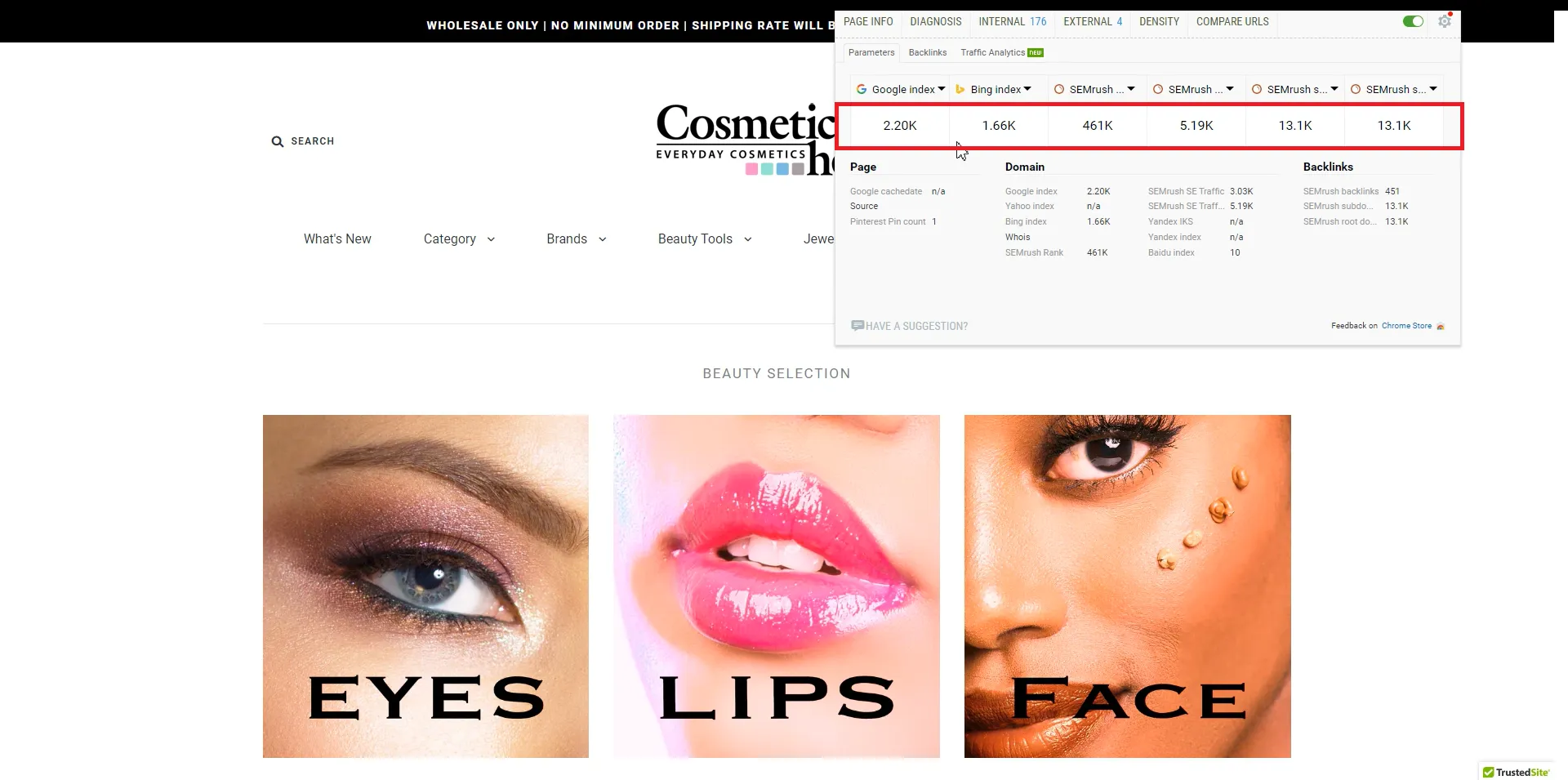
Click on the website “cosmeticholic.” Use SEOquake to get a general idea of the site’s SEO data. Check the Google and Bing index numbers, SEMrush Rank, SEMrush SE Traffic Price, and the number of SEMrush backlinks. If the data indicates strong SEO performance, proceed to a more detailed analysis using SEMrush.
3. Analyzing Keywords with SEMrush
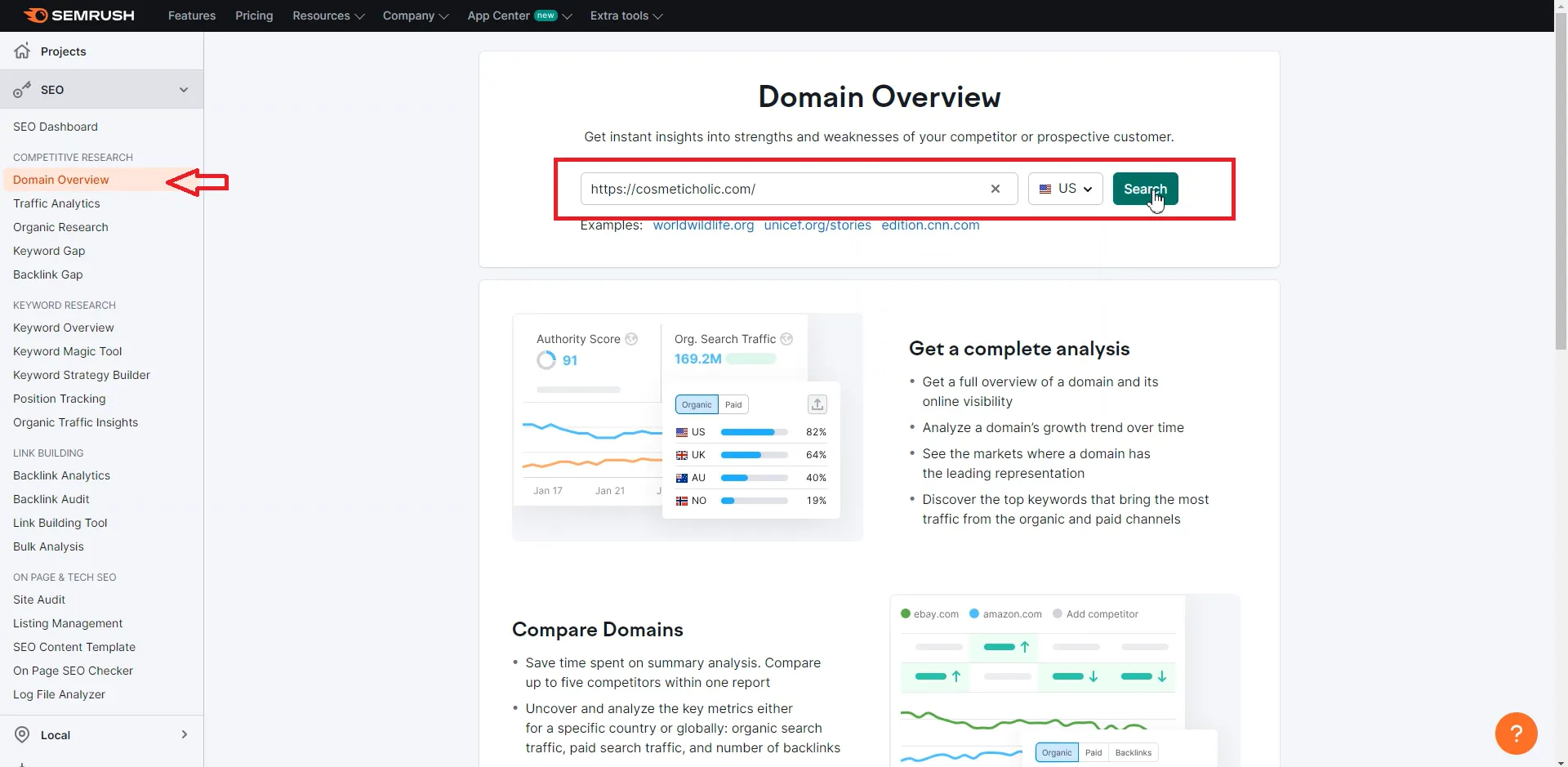
Navigate to SEMrush and click on Domain Overview. Enter the website domain, select a country, and click search.
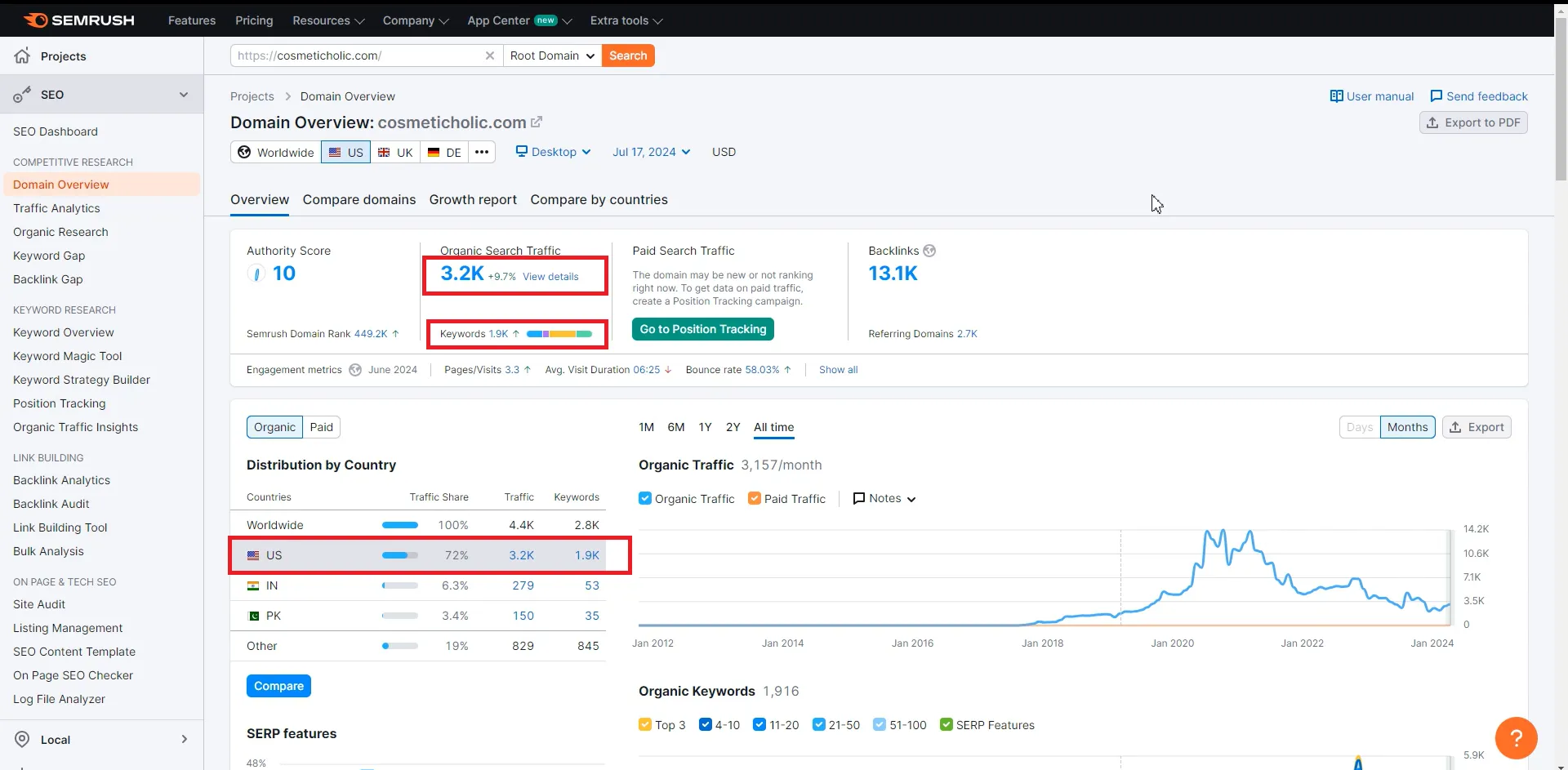
You’ll see an overview of the site’s traffic, revealing that 72% of the traffic comes from the U.S., with 3.2k organic search traffic and 1.9k keywords. Click on the 1.9k to view the site’s keywords.
The site has 1,916 keywords ranked in the top 100 on Google. Sort these by position from high to low. Focus on keywords that are ranked highly, have a low KD (Keyword Difficulty), and are relevant to your site. Also, consider the traffic potential, as you want keywords that can drive significant traffic. This approach helps you find keywords for SEO that are both competitive and valuable.
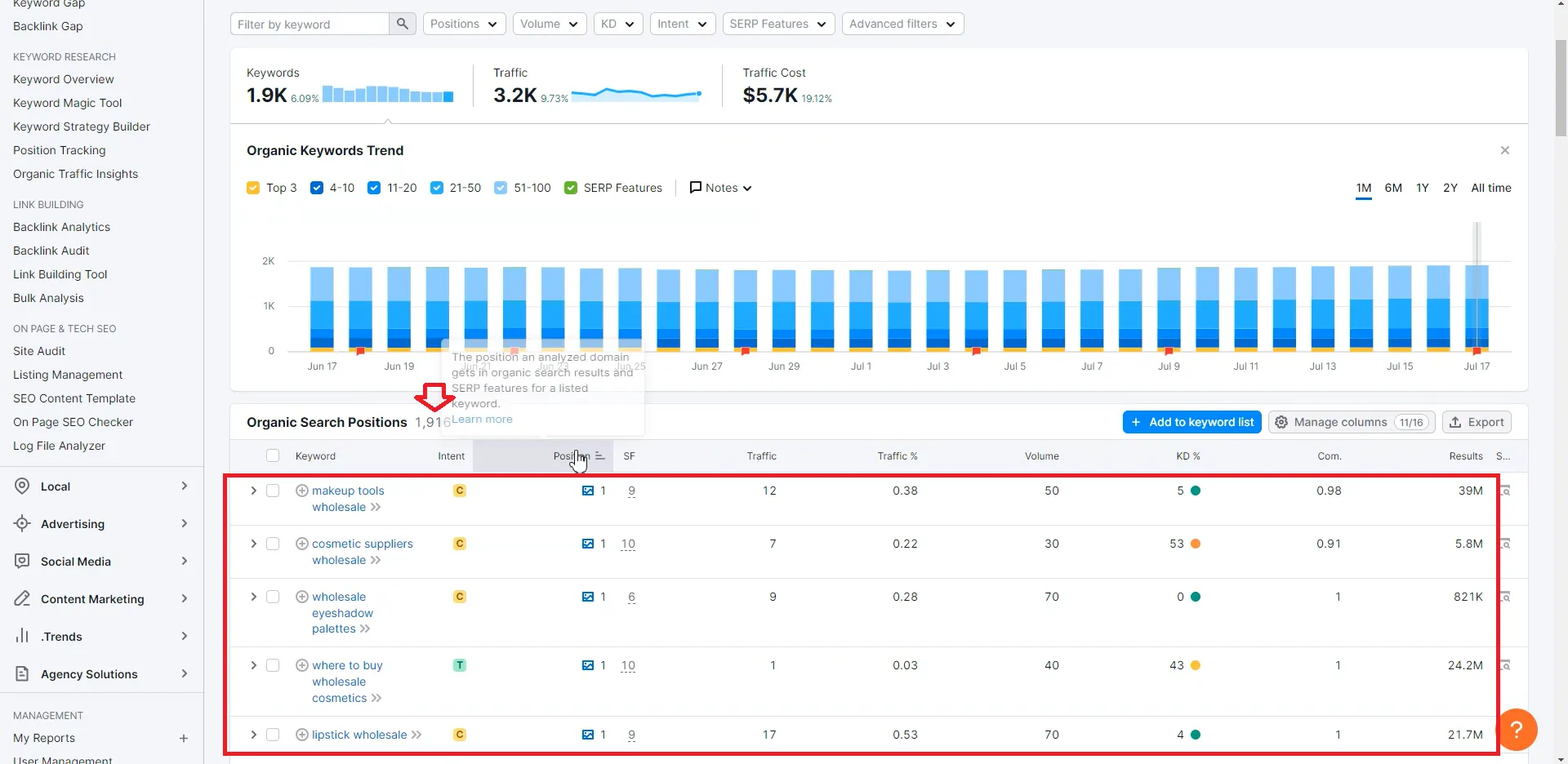
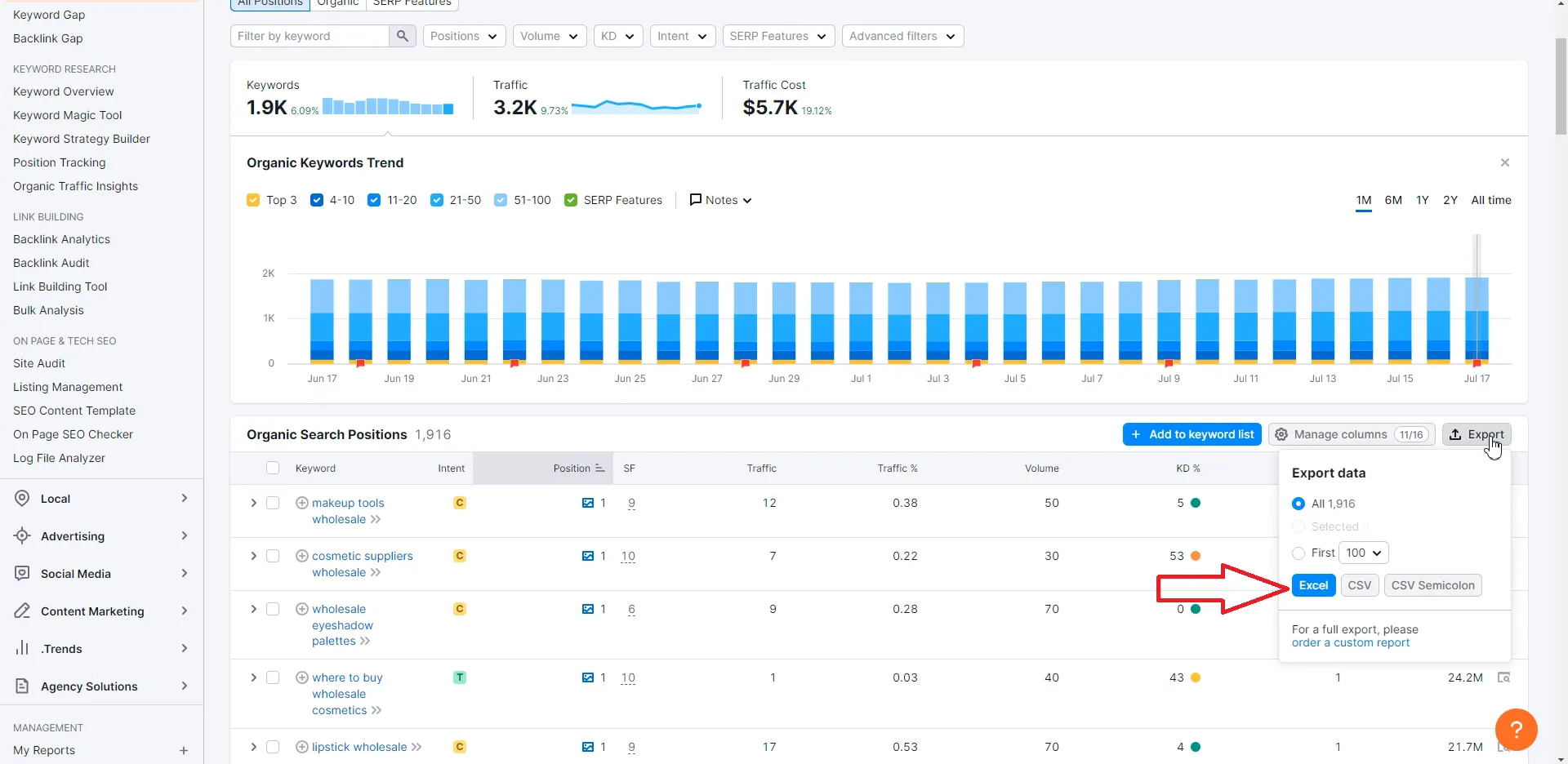
Export these keywords to Excel for further analysis.
4. Finding More Competitors
One site is not enough; you need multiple sources to ensure a diverse and rich keyword pool. You can do this in two ways:
- Google Search: Repeat the above steps for sites ranked from 2nd to 10th in Google search results.
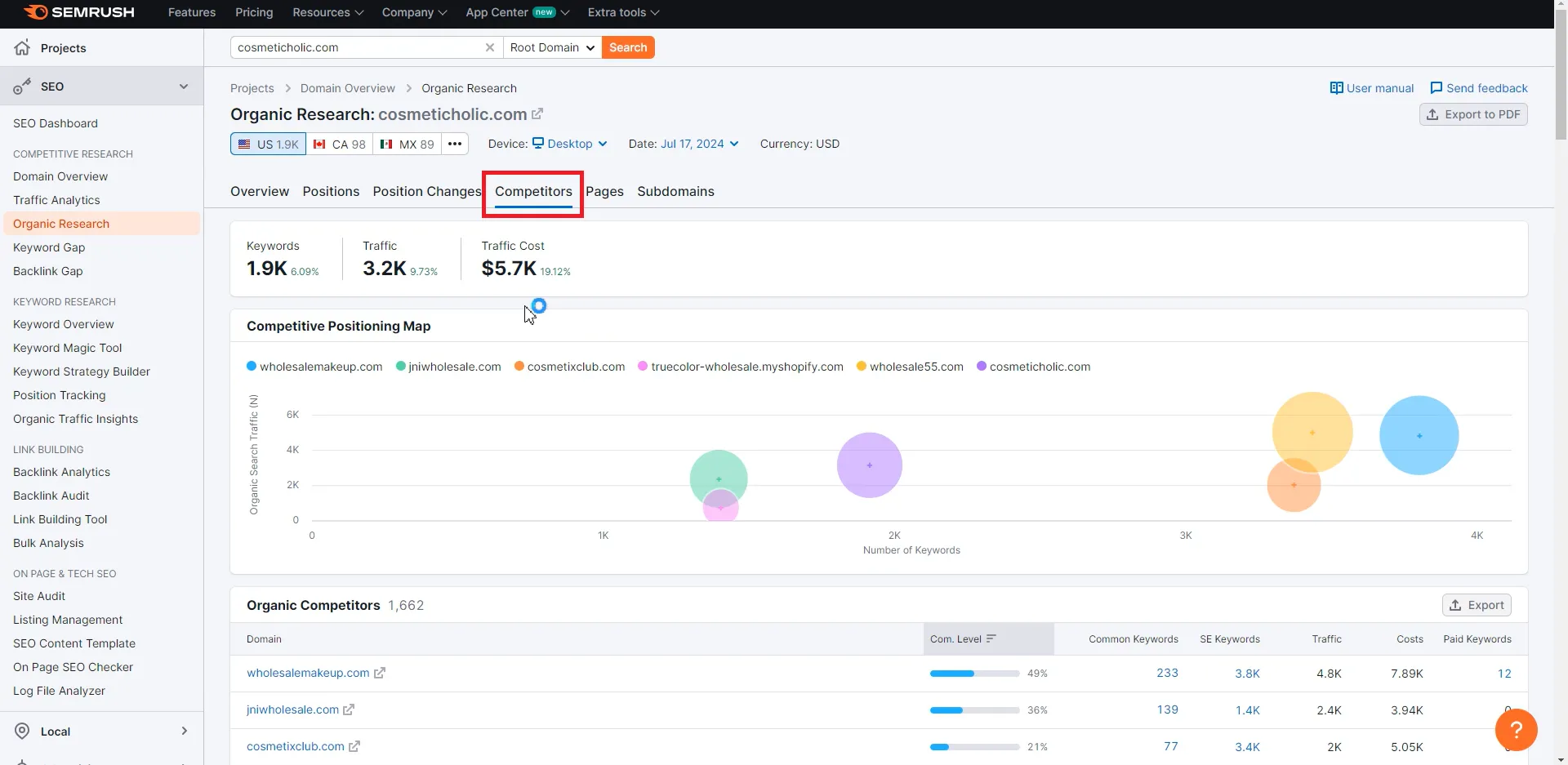
- SEMrush Competitors Feature: Use SEMrush’s competitors feature to find sites competing with the one you just analyzed, then repeat the keyword extraction and export steps.
By following these steps, you’ll be able to efficiently gather and utilize competitor keywords to enhance your own site’s SEO strategy. This method ensures you find keywords for SEO that are practical, relevant, and effective for boosting your site’s performance.