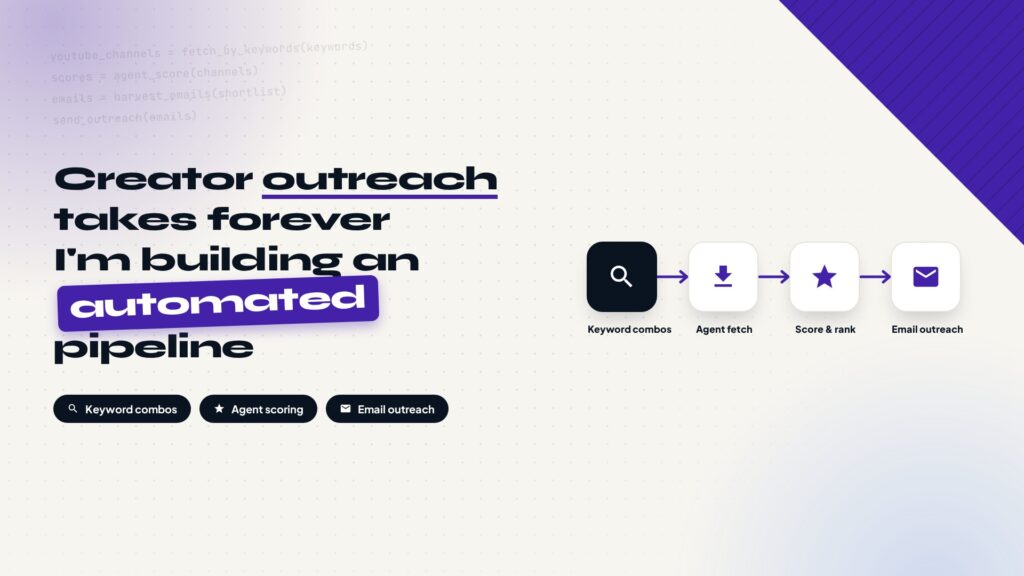
Finding YouTube creators to work with manually is slow and inconsistent. This post lays out a self-built automation pipeline: combine keywords with scenario verbs to search channels, batch-fetch them through the YouTube API, score and rank creators with your own metrics, dig out emails from channel info and websites, reach out one by one with an email prospecting system, and hand replies to a human for negotiation.
Why automate creator outreach
Anyone doing foreign trade or running an independent site hits the same problem: where to find the right YouTube creators to work with. The manual process is slow and repetitive. Search channels, look at subscriber counts and content direction, judge whether they fit, figure out how to get an email address, then write and send the pitch. One creator takes real time end to end, and a list of a few dozen creators multiplies the work.
The harder part is that the judgment criteria are hard to keep consistent. The same creator looks right one day and wrong the next from a slightly different angle. Manual filtering runs on feel, feel is unstable, and so are the results. Break the whole flow into steps and let a program and an agent execute fixed rules, and both speed and consistency improve.
The system does one thing in one sentence: use keywords and scenarios to find a batch of YouTube creators, score and rank them with your own metrics, dig out their email addresses, reach out one by one through the email prospecting flow, and hand it to a human when someone replies.
Step 1: Prepare keywords as combinations, not single words
Most people assume finding creators means searching a few keywords. Single keywords return results that are far too broad. This system works the other way around: it looks at the scenario behind the keyword, not just the keyword itself. The keyword decides which field you search, the verb decides which type of content you want.
Say you sell mechanical parts. The first keyword group is mechanical parts, the second is installation and adjustment. Combined, the search returns channels that actually cover installing and adjusting mechanical parts, not generic machinery channels. Prepare the keyword data in this format: one group of product words, one group of scenario verbs, and the agent searches with the combinations.
Mechanical parts,Adjustment
Mechanical parts,Maintenance
Mechanical parts,Buying guide
Mechanical parts,Comparison test
Step 2: Batch-fetch channels with the YouTube API
Once the keyword combinations are ready, the agent batch-fetches channel information through the YouTube API. This step accepts filters, for example a minimum and maximum subscriber count. The lower bound guarantees some reach, the upper bound filters out the top channels that are already too expensive or too commercialized, and the band in between is usually the best fit for small and mid-size brands.
The fetch job runs on a server, and a single VPS is enough. If you do not have one yet, a provider like Hostinger can host both the fetch scripts and the email tasks that come later.
{
  "part": "snippet",
  "q": "mechanical parts installation",
  "type": "channel",
  "maxResults": 50
}{
"items": [
{
"id": { "channelId": "UCxxxx" },
"snippet": {
"title": "Mechanical parts installation guide",
"publishedAt": "2025-03-12"
}
}
]
}Step 3: The scoring system is the core of the pipeline
A batch fetch can return a lot of channels, and you cannot email all of them. This is where a scoring system with your own metrics comes in: judge how closely each creator’s content matches what you want, sort by score from high to low, and process only the top creators.
Metrics depend on your business. Examples: how closely the content topics match the product words, channel update frequency, the direction of recent videos, and whether the subscriber count falls in the target band. Give each metric a weight and compute a total. Once the scoring rules are fixed, the same data produces the same ranking every run, unlike manual filtering that runs on feel.
| Scoring metric | How to judge | Notes |
|---|---|---|
| Content topic fit | Whether recent videos revolve around the product and scenario words | Highest weight |
| Update frequency | Weekly or monthly, still active recently | Filters out dead channels |
| Video direction | Whether recent videos cover your product category | Signals current willingness to collaborate |
| Subscriber count | Whether it falls in the target band | Filters out top and tiny channels |
The scoring logic is the part of the system worth the most design time. Get the metrics right, and the email hunting and sending that follows is not wasted on the wrong people.
Step 4: Filter the target creators
After scoring, set the final list by score. Set a cutoff line, or simply take the top N. This step needs little logic, because the judgment criteria are already fixed in the scoring step. This is just a slice by score.
Step 5: Find emails from channel info and websites
Once the target creators are set, the next step is finding their contact details. Two sources: the channel itself, where many creators leave an email or business contact in the channel description, and the creator’s own website, where About and Contact pages usually carry the email.
The quality of the emails found here directly decides the outreach response rate. Finding emails can be automated, but the results need spot checks, especially for website emails, which are easy to end up as outdated addresses or support inboxes instead of the owner’s inbox.
Common Mistake
Treating a support inbox as the owner’s email. Many websites list a support address or an outdated one; sending collaboration pitches there either disappears into the void or gets flagged as spam. Spot-check the emails you find and confirm they reach the owner before adding anyone to the list.
Step 6: Reach out one by one with the email prospecting system
With emails in hand, you need an automated email sending system. The build approach is covered in our post on how to build an email prospecting system. Import the creators’ names, emails, and background into the system and send collaboration emails one by one. Each email is generated from the creator’s channel information, referencing their content direction and specific videos, not a bulk template.
Step 7: Hand it to a human when someone replies
Sending the emails is not the end of the flow. When a creator replies, a human steps in to negotiate pricing, collaboration format, and delivery details, the things automation cannot handle. Automation finds the right creators and sends the mail; the actual business negotiation stays human.
How this differs from off-the-shelf platforms
Creator marketing platforms already exist. They filter creators by niche and subscriber count, and some include contact details and pricing. They fit teams with budget that need volume fast, but the annual fee is not cheap, and the creator lists come from the platform, so the data initiative is not yours.
| Dimension | Off-the-shelf platform | Self-built system |
|---|---|---|
| Cost | Annual subscription, not cheap | API quota and server cost, controllable |
| Filtering criteria | Platform-fixed dimensions | Your own metrics and weights, fully custom |
| Data ownership | The list belongs to the platform | The list and contacts stay with you |
| Email outreach | Mostly in-platform messages | Reuses the email prospecting system, mature flow |
| Maintenance | Platform handles it, ready to use | You maintain it, scoring rules evolve |
For small and mid-size brands and independent sites, the value of building this is not the subscription fee you save. It is full control over the filtering criteria and the list data. Scoring rules can adjust as the business changes, and the list is a long-term asset: every run accumulates another batch of real, usable creator contacts.
The core of the system is the scoring design in step three. The fetching before it and the emailing after it are mature technologies. What actually decides the outcome is the standard you use to judge whether a creator is worth contacting. Figure out what content and what channel size fit your product, set the metrics, and let the pipeline do the rest.
every Thursday.
Hosting reviews, builder comparisons, performance tips, and plugin picks — curated weekly for WordPress site owners and builders.