A real enterprise project, broken down end to end: sourcing and cleaning leads, giving the AI agent a company knowledge base, matching products to prospects, generating and sending outreach emails, handling replies, and using Codex and Claude Code to build the whole system under control. The full development SOP at the end can be used as a reference or handed directly to Codex, Claude Code, and other coding agents as a build guide.
Why rethink how your business finds customers?
Over the past few years, most companies have accumulated a pile of digital assets: CRM records, historical inquiries, trade-show lists, website visitors, product collateral. The data is real, yet none of it turns into business opportunities by itself. New customer acquisition still runs on manual labor: searching for target companies, researching prospects, hunting for contacts, writing outreach emails, chasing replies. Every step is done by hand.
That leaves two bottlenecks: dormant customer data that never gets reactivated, and a constant struggle to find new qualified prospects. This article documents an AI agent-driven customer acquisition system we designed to solve both. The goal was not another mass-mailing tool. It was to get AI involved across the entire sales development process and turn both paths into pipelines that actually run.
System goals and the overall architecture
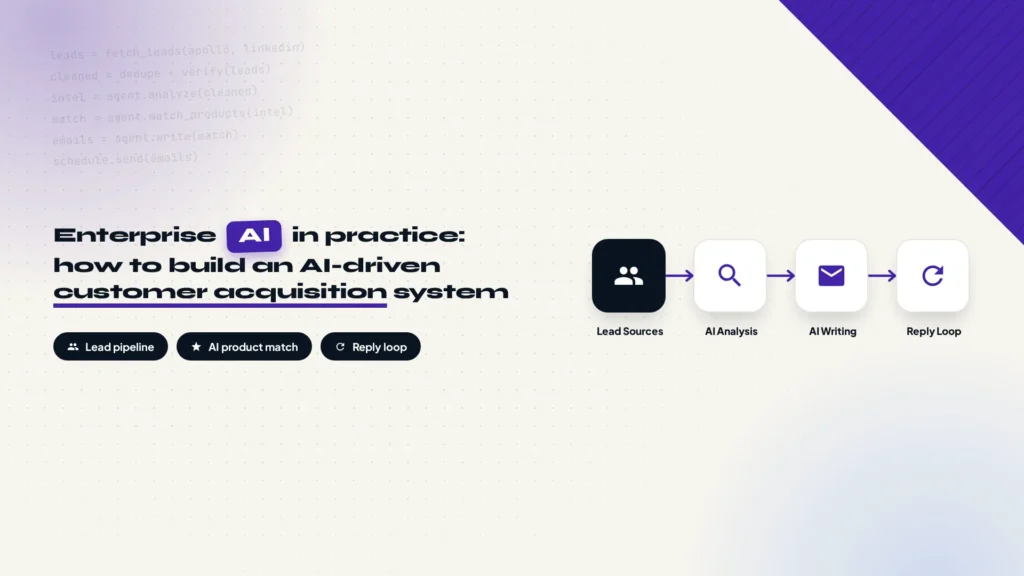
The system is a complete outreach pipeline: lead generation, customer intelligence, and outreach automation working as one flow. Leads enter from multiple sources, get cleaned, analyzed, and matched against products, then land in email generation, send scheduling, and reply tracking. No salesperson moves data between steps by hand.
The full flow has eight stages:
The pipeline, from lead sources to sales handoff
Lead Sources
Multiple list channels
→
Data Processing
Dedupe, verify, clean
→
Customer Intelligence
AI reads the business
→
Product Matching
Spot likely needs
AI Content Generation
Outreach emails in batch
→
Email Scheduling
Limits and send windows
→
Reply Detection
IMAP polling
→
CRM / Sales Handoff
Human follow-up
From an engineering view, the eight stages collapse into five layers: a data collection layer that pulls lists in, a data processing layer that cleans and enriches them, an AI reasoning layer that analyzes customers and writes content, an execution layer that handles scheduling, sending, and state, and a feedback loop that returns replies and bounces into the system. The rest of this article walks through each layer in that order.
Lead data, from manual search to an automated pipeline
Why data comes first
Most people assume AI prospecting starts with writing emails. It does not. It starts with finding the right people, and if the input is wrong, stronger AI only scales the mistake: the system happily sends three thousand well-crafted emails to companies that were never a fit, each one perfectly aimed at the wrong target. So the first thing this system builds is not writing ability. It is a Lead Pipeline, a clean list channel that can grow.
New customer data: automated scraping tools
For new customer development, lists come from a few places: Apollo and similar B2B contact databases, LinkedIn Sales Navigator, search APIs like Serper and Google Search API, plus custom crawlers for specific industries. In this project Apollo was the primary source, with other channels layered on top.
Recommended reading: How to set up Apollo email marketing from signup to automated sequences.
Search is not a keyword thrown at the internet. It is a structured set of conditions, usually five dimensions combined:
- Country
- Industry
- Company Size
- Job Title
- Keyword
Say an automotive parts manufacturer wants to reach purchasing contacts in the U.S. aftermarket. The filter looks something like this:
| Filter | Value |
|---|---|
| Country | United States |
| Industry | Automotive Aftermarket |
| Job Title | Purchasing Manager / Engineering Manager / Owner |
A finished search returns more than an email address. Each record carries the company name, website, contact name, job title, email, and LinkedIn profile. Those fields become the input for AI customer analysis later, so it pays to capture extra fields now instead of storing a bare address.
Existing customer data: the CRM system
The search flow above covers new customer sources. Existing customer leads run through a separate pipeline inside the system, and their source is not an external channel at all. It is the dormant data already sitting in the CRM. A dormant customer usually falls into one of two buckets: someone who asked for a quote or consulted about a product but never closed, and someone who bought once or twice and then stopped reordering for a long stretch. These accounts do not need searching or filtering. They are already in the system. The question is how to reactivate them.
Enriching a dormant customer list needs one extra field compared with new leads. Besides the basics such as company, contact, and industry, every row must carry the customer’s past transaction and communication history. Ideally that is a full timeline that reconstructs every inquiry, quote, purchase, and follow-up in order. If the CRM cannot produce anything that detailed, at minimum write a summary of the record that captures the key facts: what products the customer asked about, what was quoted, where the deal stalled, what they bought, and roughly how often they buy. Without that history, the AI analysis and email generation later have nothing to work from.
Cleaning and enrichment
Raw lists never go straight into AI. They pass through a cleaning step first. Deduplication stops the same contact from being hit twice, email verification filters out invalid addresses, generic mailboxes like info@, and risky domains, and surviving records get enriched with company background from the website, Serper API, or business databases: what the company makes, its product direction, its industry. Existing customer records get one extra check in the same pass: their interaction history field must be complete, with a timeline or at least a summary attached, before they move on.
After cleaning and enrichment, the Lead Database keeps new and existing customer data in separate records. New customer data captures the target client and main products and services. Existing customer data keeps those fields and adds purchase and request records so the AI can choose a relevant follow-up strategy.
{
  "company": "Motorsport Suspension Manufacturer",
  "contact": "[email protected]",
  "industry": "Automotive Aftermarket",
  "country": "United States",
  "website": "https://example.com",
  "business_summary": "Designs and builds suspension systems for motorsport and performance vehicles",
  "target client": "Automotive aftermarket manufacturers and distributors",
  "main products & service": ["Rod Ends", "Spherical Bearings", "Linkage Components"],
  "customer_type": "new"
}

{
  "company": "Motorsport Suspension Manufacturer",
  "contact": "[email protected]",
  "industry": "Automotive Aftermarket",
  "country": "United States",
  "website": "https://example.com",
  "business_summary": "Designs and builds suspension systems for motorsport and performance vehicles",
  "target client": "Automotive aftermarket manufacturers and distributors",
  "main products & service": ["Rod Ends", "Spherical Bearings", "Linkage Components"],
  "purchase & request records": ["Asked about rod ends in March 2025; quote sent", "Purchased spherical bearings in June 2025"],
  "customer_type": "existing"
}
Give your AI agent a company knowledge base first
This is one of the most important design decisions in the whole system. Most AI projects fail not because the model is weak, but because the AI has no idea what your business actually does: what you sell, where your edge is, which customers you should turn down. Expecting a model to write outreach on general knowledge alone is like sending a new hire who skipped training straight into customer meetings.
Build business context, not just prompts
Our approach is to prepare a company knowledge document first, company-profile.md, with everything a salesperson needs to know written down in a structured way: company background (founded, positioning, production capacity, markets served), product details (categories, technical specs, use cases), certifications (ISO, RoHS, SGS, and others), customer cases (industries served, applications, cooperation models), and commercial rules (MOQ, Lead Time, Payment Terms, Sales Style).
| Knowledge block | What it contains |
|---|---|
| Company background | Founded, positioning, production capacity, markets served |
| Product details | Categories, technical specs, use cases |
| Certifications | ISO, RoHS, SGS, industry certificates |
| Customer cases | Industries served, applications, cooperation models |
| Commercial rules | MOQ, Lead Time, Payment Terms, Sales Style |
What you are really doing is onboarding the AI agent. A new salesperson does not contact customers on day one. They first learn three things: who the company is, what it sells, and why it wins. The agent works the same way. A perfect prompt matters less than letting it read company-profile.md before it ever touches customer data.
Key Takeaway
An AI agent is only as good as its understanding of your business. Company knowledge first, prompts second, is the foundation this system stands on.
AI customer analysis and product matching
From template emails to sales judgment
Traditional email automation is template substitution: Customer Name plus a Template equals an email, and the only thing that changes is the salutation. The AI system works on completely different input. It receives the customer’s business, industry, product usage, and your company knowledge, and the output is not an email but an outreach strategy: whether this contact is worth pursuing, which products they might need, and what angle the first message should take.
| Aspect | Traditional email automation | AI system |
|---|---|---|
| Input | Customer name + fixed template | Customer business + industry + product usage + company knowledge |
| Output | One templated email | Outreach strategy with recommended products and angle |
| Granularity | Automotive industry customer | Down to the specific product category they may buy |
| Core question | What do we want to sell? | Why might this customer need us? |
A real example from the project: the customer was a Motorsport Suspension Manufacturer. After analyzing its business and product line, the AI did not file it under “automotive industry customer”. It inferred concrete needs: Rod Ends, Spherical Bearings, and Linkage Components, the specific linkage parts this kind of manufacturer buys, then wrote the outreach around those categories.
Analysis of an existing customer adds one more layer of input on top of the new-lead logic: history. For a new lead, the AI works from the company’s business and what it might need. For an existing customer, the AI also receives the full transaction and communication timeline, or at least a summary of past interactions, and the question changes accordingly. For new leads it is “does this company need our product?”. For existing customers it becomes “why did the last deal stall, and what new trigger can reopen the conversation?” or “they bought once and then went quiet, are they due for another purchase?”. Product recommendations for existing customers are built on the categories they bought before, not inferred from zero.
The whole judgment comes down to one sentence: not “what do we want to sell”, but “why might this customer need us”. Get that right and the AI writes relevant messages. Get it wrong and every email reads like spam the moment it lands in the inbox.
AI decides, code executes
This is the biggest difference between an enterprise AI system and a demo agent. Demos let the agent do everything on its own, which looks clever until it runs in production: it sets its own sending pace, edits its own data, and when something breaks nobody knows which step did it. Business systems need control, so the architecture splits into two layers.
The AI Layer handles work that needs judgment: understanding customers, classifying them, matching products, writing email content, analyzing replies. Models can be swapped per task, say Claude or GPT for complex reasoning and DeepSeek for batch generation.
The Execution Layer handles deterministic work: scheduling, API calls, state management, data writes, and email sending. It is built with Python Scheduler, Worker, and Database components, and its logic has to be fully predictable.
| Aspect | AI Layer | Execution Layer |
|---|---|---|
| Responsibilities | Understand, classify, match products, write content, analyze replies | Schedule, call APIs, manage state, write data, send emails |
| Implementation | Claude / GPT / DeepSeek | Python Scheduler / Worker / Database |
| Nature | Needs flexibility | Needs certainty |
| Decision boundary | Can judge “this contact is worth pursuing” | Decides how many emails go out and when |
Why split it this way? Because AI is good at open questions and business systems need deterministic answers. AI can judge that a contact is worth pursuing. It cannot decide to send 500 emails today. Volume, timing, and retry rules are hard constraints owned by the execution layer, and AI only makes judgments inside those boundaries. That separation is what keeps the whole system stable.
Email generation design
Generate offline in batches, not in real time
A common mistake is calling the model in real time during sending: send one, call the model, send the next. Production does not want that. It is slow, cost is unpredictable, and there is no chance to review anything. We generate offline in batches instead: the whole list goes through AI at once, results move into human review, and only approved messages enter the sending queue.
Email generation flow: batch first, review second
Lead Database
Cleaned list
→
Batch AI Generation
One pass over the list
→
Human Review
Spot-check and edit
→
Sending Queue
Approved and queued
Offline batch generation delivers exactly what production needs. Content can be reviewed, so a sales manager sees every message before it ships. It can be edited, so a wrong angle can be fixed across the whole batch before release. It costs less, because batch model calls are far cheaper than per-email real-time calls. And it is stable, because sending no longer depends on model API availability in the moment.
Email generation rules
Generation rules are hard constraints in the system: plain text only, short copy, a single CTA, and no marketing words. Plain text and short copy protect deliverability and readability. One CTA gives the recipient exactly one thing to do. No marketing words keeps the message away from spam filters.
Every generation call takes three inputs: Customer Profile, Company Knowledge, and Product Match, plus an extra Interaction History entry when the target is an existing customer. It returns four parts: Subject, Body, Reasoning, and Recommended Product. Reasoning is the model’s explanation of why this contact is worth pursuing. Recommended Product is the main item it suggests pushing. Neither column is for the recipient. Both are for human review and later analysis.
Existing-customer emails carry one extra generation rule: the body must reference concrete history. When a salesperson follows up with an existing customer in person, the opener is always “you bought our Rod Ends last year, how are they holding up?” or “you asked about our linkage components before, are you still considering them?”, never a cold self-introduction. AI-generated emails to existing customers work the same way. They should mention the products purchased, the questions asked, or where the last conversation stopped, drawing on the Interaction History. Only then does the recipient read the message as written for them, not as part of a batch blast.
Email infrastructure design
The place where cold email systems fail most often is not AI. It is the sending infrastructure. Great copy that never reaches an inbox is worth nothing, and one wrong configuration lands you in spam.
Tooling
| Component | Role |
|---|---|
| Mailgun | Email sending API |
| IMAP | Reading replies |
| SPF / DKIM / DMARC | Domain authentication, the price of admission to the inbox |
| Dedicated Domain | Isolates the sending domain and protects the main domain’s reputation |
| VPS | Keeps the system running around the clock |
Email protocols and delivery verification are the two places people trip over. What IMAP, POP, and SMTP each do determines how a mail client sends and receives, and this system’s reply detection depends on IMAP reads. The background is in this article on what IMAP, POP, and SMTP are. Before going live, send a test email to a test mailbox and confirm it will not land in spam. How to read the verdict is in this post on using Gmail Authentication-Results to tell whether a test email will hit spam.
The point worth calling out in this stack is the dedicated domain. Sending domain and main domain are separate, so if the sending domain ever gets flagged by an email provider, the company’s own mailbox reputation stays clean. SPF, DKIM, and DMARC must all be configured before the first send. For the exact setup, see our guide to configuring SPF, DKIM, and DMARC in Cloudflare.
A sending domain is added separately inside Mailgun, then the Sending, Tracking, and Authentication records have to be resolved through DNS, and once verification passes you create a sending key for the system to call. The full walkthrough is in How to set up a Mailgun sending domain.
Sender reputation control
A new mailbox that starts at full volume is basically self-sabotage. Reputation control is the most important design in the scheduling layer, and four parameters are non-negotiable: Warm-up (ramp volume gradually), Sending Limit (daily cap), Random Interval (randomized gaps between sends), and Time Zone Delivery (send in the recipient’s local time).
All of these parameters constrain a single mailbox. If the business needs to send a few hundred emails a day, the answer is not to push one mailbox past its cap. It is to scale horizontally by configuring several mailboxes on different subdomains, for example one sending address on mail1.example.com and another on mail2.example.com. Every mailbox still ramps up on its own warm-up schedule and keeps its own daily cap and random intervals. Subdomain reputations are isolated from each other, so if one mailbox gets flagged it does not drag down the main domain or the other accounts, and total throughput becomes the sum of all mailboxes.
Volume ramps on a schedule. The cadence used in this project:
| Stage | Daily sending cap |
|---|---|
| Day 1 – 3 | 10 emails / day |
| Day 4 – 7 | 20 emails / day |
| Day 8 – 12 | 35 emails / day |
| Day 13 onward | 50 emails / day |
Warning
Do not skip stages during warm-up. A new mailbox that sends hundreds of emails on day one gets flagged by the provider, and recovering domain reputation afterwards costs several times more than the ramp would have.
The reply loop
Sending is not the finish line. Replies are. Once an email goes out, the system has to answer three questions: is this a human reply, an autoresponder, or a bounce?
Reply handling loop
Email Sent
Outreach delivered
→
IMAP Monitoring
Poll the inbox
→
Reply Classification
AI sorts the reply
Stop Sequence
No more follow-ups
→
CRM Update
State written back
→
Sales Follow-up
Human takes over
Classification happens in the AI Layer. A human reply stops the follow-up sequence for that lead immediately, updates the CRM, and hands the conversation to sales. An autoresponder such as an out-of-office notice lets the sequence continue, since the contact will pick it up later. A bounce sends the address to the Suppression List, and the system never emails that address again.
Tech stack and cost
Nothing in the stack is exotic. Every component is mature tooling, split into four groups:
| Category | Tool | Role in this system |
|---|---|---|
| AI development | Claude Code / Codex | Architecture, code generation, debugging, deployment |
| AI models | Claude Opus | System design, complex reasoning |
| AI models | DeepSeek | Batch email generation, large-scale tasks |
| Data | Apollo | Lead list acquisition |
| Data | Serper API | Company information enrichment |
| Mailgun | SMTP / API sending, tracking, bounce handling | |
| Deployment | VPS + Docker | Long-running service, isolated environment |
AI coding tools did most of the development work. Claude Code and Codex handled architecture, code generation, and debugging, while the developer broke down tasks, wrote constraints, and verified results. Models are tiered by task: Claude Opus for complex reasoning, DeepSeek for large batch generation where cost matters.
Treating Claude Code and Codex as primary development tools assumes subscription and account stability are sorted out. If you do not have a credit card, this guide to subscribing to ChatGPT and Claude Code without a credit card covers the payment side. Heavy daily use also carries an account risk, and this post on reducing Claude Code account risk walks through what we hit and how to avoid it.
Running the system does not need an expensive machine. A 2 Core, 2GB RAM VPS with Ubuntu 24.04 and Docker is enough, and for a long-running project like this, a Hostinger VPS fits the requirements and the budget.
After purchasing a VPS, we recommend setting up SSH key login.
How to get Codex and Claude Code to build complex systems
At this scale you cannot throw “build me an email system” at an AI and walk away. Large AI development projects start with a documentation structure that gives the agent long-term context. The project folder has a fixed layout from day one:
project/
├── BRAINSTORMING.md
├── PLAN.md
├── CLAUDE.md
├── PROGRESS.md
├── TODO.md
└── .env| File | What it records |
|---|---|
| BRAINSTORMING.md | Business goals, why the system exists |
| PLAN.md | The development plan and build order |
| CLAUDE.md | Project rules the agent must follow |
| PROGRESS.md | Current state, what is already done |
| TODO.md | Pending work, what comes next |
| .env | Environment variables and secrets, kept out of version control |
These files matter because every new session can read the project state and pick up where the last one stopped, instead of rebuilding context from scratch. CLAUDE.md is the key one. It turns the red lines from earlier sections, sending cadence, human review, no AI-controlled send volumes, into project rules the agent follows while it codes.
We turned the actual engineering process behind this system, including the non-negotiable rules, phased acceptance criteria, and lessons from failures along the way, into an open-source SOP you can hand directly to Codex, Claude Code, or another coding agent. It contains seven core development files, numbered 00 through 06. Their full text is pasted below; copy these files into your project\’s /SOP folder and have an agent build the same logic from scratch.
00-README.md — How to use this SOP: two modes, one shared pipeline
# Automated Email Marketing System — SOP Index

## Purpose

This SOP set specifies how to build **one unified automated email marketing system** that supports two operating modes on a shared pipeline:

| Mode | Description |
|---|---|
| `cold_outreach` | New-customer prospecting to purchased/scraped/enriched contact lists. |
| `reactivation` | Re-engagement of dormant leads who previously inquired but never converted, using internal CRM/inquiry data. |

The two modes share ~90% of the same architecture (data layer, AI writing engine, scheduler, reply loop, reporting, deployment). This SOP is written so an autonomous coding agent (e.g. Claude Code, Codex CLI) can execute it directly, phase by phase, without additional narrative explanation.

## File Map

| File | Content |
|---|---|
| `01-infrastructure-and-accounts.md` | Tools, accounts, VPS, DNS, mailboxes, API keys checklist |
| `02-lead-data-schema.md` | Required lead fields, database schema, import validation rules |
| `03-development-sop.md` | **Core spec.** Non-negotiable rules + phased build plan (P0–P8) |
| `04-reactivation-variant-spec.md` | Delta spec for `reactivation` mode on top of the base pipeline |
| `05-security-compliance-guardrails.md` | Secrets handling, legal compliance, pre-open-source checklist |
| `06-troubleshooting-reference.md` | Symptom → root cause → fix lookup table |

## How an Agent Should Use This SOP

1. Read `03-development-sop.md` first — it contains the non-negotiable rules that apply to every phase.
2. Build `cold_outreach` mode first, end to end (P0→P8), before adding `reactivation` mode.
3. When adding `reactivation` mode, apply `04-reactivation-variant-spec.md` as a diff on top of the already-built pipeline — do not duplicate the codebase.
4. Every phase requires evidence-based acceptance (a printed table, a reviewable file, a diffed DB state) before moving to the next phase. Do not self-report "done" without producing that evidence.
5. Maintain three living documents in the repo root throughout the build: `AGENTS.md` (facts + hard rules), `PLAN.md` (phased plan), `PROGRESS.md` (what was done, decisions, bugs fixed). Update `PROGRESS.md` at the end of every phase.
6. Only stop and ask the human operator when blocked on a genuine business decision this SOP does not resolve (e.g. which vertical's product catalog to write, which ESP/LLM vendor to use, target send volume). Do not ask for permission on implementation details already specified here.

## Scope Note

This is a specification for building the system from scratch, generically, for open-source distribution. It contains no real company names, domains, API keys, or production statistics — all examples use placeholders (`yourcompany.com`, `[email protected]`, etc.). Anyone following this SOP should be able to stand up their own instance for their own business.
01-infrastructure-and-accounts.md — Accounts, domains, DNS and API keys needed before you start
# Infrastructure & Accounts Checklist

All items below must be acquired/configured before Phase P0 (`03-development-sop.md`) can pass. None of these steps require deep technical skill — most are done via a provider's web console.

## 1. Local Development Tools

| Tool | Purpose |
|---|---|
| AI coding agent (Claude Code, Codex CLI, or equivalent) | Executes this SOP, writes code, runs commands |
| Terminal | Interface to the coding agent |
| Python 3.11+ | Runtime for the system |
| Git | Version control / checkpoints |
| Docker + Docker Compose | Packaging for deployment (Phase P7) |

## 2. Sending Domain & DNS

**Hard rule: never send cold/marketing email from the company's primary domain.** Use isolated subdomains, or a separate look-alike domain, dedicated to outbound sending.

```
yourcompany.com               ← primary domain, NEVER used for sending
  ├── mail1.yourcompany.com   ← sending subdomain 1
  ├── mail2.yourcompany.com   ← sending subdomain 2
  └── ...                     ← add more subdomains as send volume scales
```

Requirements per sending domain

- [ ] DNS management access (Cloudflare, or the registrar's own DNS panel)
- [ ] SPF record configured
- [ ] DKIM record configured (provided by your ESP, see §3)
- [ ] DMARC record configured
- [ ] One real mailbox provisioned on this domain with IMAP access (see §4)

Scale guidance: one warmed-up mailbox can safely send roughly 50 emails/day at steady state. If you need ~300/day, plan for ~6 sending domains/mailboxes. Scale proportionally.

## 3. Transactional Email Service (ESP)

Do not self-host a mail server — IP reputation, bounce handling, blacklist monitoring, and rate limiting are expensive to manage yourself. Use a managed ESP.

| Option | Notes |
|---|---|
| Mailgun | Reference implementation for this SOP; ~$35/mo tier is sufficient for moderate volume |
| SendGrid / Postmark / Amazon SES | Drop-in alternatives — swap only the send-function implementation |
| Direct SMTP via mailbox provider | Works but you must build your own unsubscribe link + bounce handling |

Checklist

- [ ] ESP account created
- [ ] Each sending domain added and **verified** in the ESP (all DNS checks green)
- [ ] **Each domain uses its own domain-level "sending key"** — never the account-level API key shared across domains. Using the wrong key causes silent, inconsistent per-domain failures.
- [ ] `tracking-unsubscribes` (or equivalent List-Unsubscribe automation) enabled
- [ ] New account probation/rate-limit behavior understood (new ESP accounts are often capped at ~100 msg/hour per domain until the account is trusted)

## 4. Recipient (Reply) Mailboxes

Each sending mailbox needs a real inbox that receives replies. **From address, Reply-To address, and the IMAP-polled inbox must be the same address** — otherwise replies land somewhere nobody monitors.

- [ ] Mailbox provider supports IMAP (any standard business email host qualifies)
- [ ] IMAP host, port, username, password recorded for each mailbox
- [ ] Cost reference: roughly $1/mailbox/month

## 5. AI / Data Services

| Service | Purpose | Used by mode |
|---|---|---|
| LLM API for bulk email generation | Cheap, high-volume model for writing thousands of emails (e.g. DeepSeek-class pricing) | Both |
| Stronger LLM for development | Used by the coding agent itself to build the system (e.g. Claude Opus-class) | Dev only |
| B2B contact database (e.g. Apollo.io) | Sourcing new-customer contact lists | `cold_outreach` only |
| Web-search / SERP enrichment API (e.g. Serper) | Enriching contact records with what a company actually sells/does, since contact databases are often thin on this | `cold_outreach` only (optional) |

Note: `reactivation` mode needs no purchased contact data — leads come from your own CRM/inquiry history.

## 6. VPS (Production Deployment)

- Not needed during development — build and test locally first.
- Minimum spec for production
- [ ] SSH key-based login configured (no password auth)
- [ ] Docker + Docker Compose installed

## 7. Secrets Storage Convention

- [ ] All credentials live only in a `.env` file, never in code.
- [ ] `.env` is listed in `.gitignore` from the **first commit**.
- [ ] A `.env.example` template (with placeholder values only) is committed instead, documenting every required key.
- [ ] See `05-security-compliance-guardrails.md` for the full secrets policy.

## Cost Reference (Order of Magnitude)

| Category | One-time | Monthly |
|---|---|---|
| Domain/subdomains | ~$10 | — |
| ESP (Mailgun-class) | — | $0–35 (usage-based) |
| Reply mailboxes ×N | — | ~$1 × N |
| Bulk-generation LLM API | ~$5–10 credit lasts a long time | negligible |
| VPS | — | $10–50 (spec-dependent) |
| B2B contact database (cold_outreach only) | — | ~$99 |
| SERP enrichment API (optional) | ~$50 credit | — |

These are illustrative ranges, not quotes — verify current pricing with each vendor.
02-lead-data-schema.md — Lead data fields and the database schema
# Lead Data Schema

## 1. Base Lead Fields (both modes)

| Field | Required? | Purpose |
|---|---|---|
| `email` | ✅ Required | Unique key, dedup target, lowercased on import |
| `first_name` | ✅ Required | Salutation in email copy |
| `company_name` | ✅ Required | Used in subject line and body |
| `country` | ✅ Required | Drives send-window timezone calculation |
| `category` / `industry` | Strongly recommended | Primary signal for AI product/service matching |
| `business_intro` | Strongly recommended | Supporting context for AI-personalized copy |
| `main_products` / `main_interest` | Strongly recommended | Same as above — higher quality here = more accurate copy |
| `job_title` | Optional | Minor wording reference |

**Principle: list quality beats list size.** 500 fully-populated, email-verified contacts outperform 5,000 contacts with only an email address — the AI has nothing to personalize with in the latter case.

## 2. Additive Fields for `reactivation` Mode

| Field | Required? | Purpose |
|---|---|---|
| `inquiry_summary` | ✅ Required if available | One or two sentences on what the lead previously asked about — the single most important field for this mode's copy |
| `owner` | ✅ Required | The sales rep who owns this lead; determines which mailbox sends and who replies route to |
| `customer_code` | Recommended | CRM reference ID for reconciling replies back into the CRM |

If a source file has no `owner` column, assign leads round-robin across the known list of reps.

See `04-reactivation-variant-spec.md` for how these fields change copy generation and routing.

## 3. Import Validation Rules (agent must implement)

1. **Email normalization**: lowercase, format-validated; invalid emails are skipped and counted, not silently dropped.
2. **Idempotent import**: importing the same file twice must yield zero new inserts on the second run.
3. **Non-destructive merge**: for an existing contact, only fill fields that are currently empty; never overwrite a non-empty field with new data.
4. **Suppression check on import**: any email already in the `suppression` table must never re-enter the active pipeline via a new import ("no resurrection").
5. **Incremental import folder**: provide a drop folder (e.g. `lists/`) — any new file placed there is imported without disturbing already-imported data.
6. **Cross-file dedupe (reactivation mode only)**: the same email may appear in multiple reps' source files; dedupe globally by email and keep exactly one `owner` — never send the same lead a reconnect email from two reps. Tie-break rule: keep whichever record has the deepest existing send progress.
7. **Exclusion rules must use structured fields, not fuzzy name matching.** E.g. exclude by `category == "higher_education"`, never by "company name contains 'college'" (a real failure mode: a company named "College Park Industries" is not a university).
8. **Output a reconciliation count** after every import: `new + duplicate + invalid + suppressed ≈ total source rows` (the agent must explain any discrepancy).
9. **Pre-batch data quality spot-check**: before any batch AI generation, randomly sample ≥20 rows and manually verify `main_products`/`inquiry_summary` actually describes that company (enriched/CRM data can be contaminated — e.g. an enrichment bug filling in your own company's products instead of the lead's).

## 4. Database Schema (SQLite recommended)

SQLite is sufficient up to tens of thousands of leads and hundreds of thousands of emails — it is a single file, trivial to back up (copy the file), and does not require a separate database server. Only move to a client-server database if scale genuinely requires it.

| Table | Contains | Key fields |
|---|---|---|
| `leads` | One row per contact | `email` (unique), base + mode-specific fields above |
| `sequences` | One email sequence per lead | status: `draft` / `active` / `cancelled` / `completed` |
| `emails` | One row per individual email in a sequence | subject, body, step number, scheduled_at, status: `pending`/`sent`/`cancelled` |
| `replies` | Inbound replies captured | `is_auto_reply` flag |
| `suppression` | Permanent do-not-contact list | reason: `replied` / `unsubscribed` / `bounced` / `no_fit` |
| `send_log` | One row per actual send | used to compute daily counts and warmup progress |
| `imap_baseline` | Starting UID per mailbox at first poll | prevents historical mail from being misread as new replies |

`reactivation` mode adds `owner`, `customer_code`, `inquiry_summary` to `leads`, and `owner` to the reporting layer — see `04-reactivation-variant-spec.md`.
03-development-sop.md — Core spec: 19 non-negotiable rules + the phased build plan P0-P8
# Development SOP — Core Build Spec

This is the primary execution spec. Build `cold_outreach` mode end to end (P0→P8) first. Then apply `04-reactivation-variant-spec.md` as a delta on top of the same pipeline.

---

## Part A — Non-Negotiable Rules (apply to every phase)

These rules exist because violating any one of them causes irreversible damage (sent email cannot be unsent, domain reputation cannot be quickly rebuilt, a burned lead cannot be re-approached). Implement them before, not after, an incident.

| # | Rule |
|---|---|
| 1 | Never send from the company's primary domain. Use isolated sending subdomains/domains only. |
| 2 | Every sending domain must have SPF, DKIM, and DMARC verified **before** any live send. Missing/wrong DKIM causes silent deliverability loss with no error — "sent successfully" does not mean "seen." |
| 3 | Each domain uses its own domain-level ESP sending key. Never share an account-level key across domains. |
| 4 | **Content generation and sending are separated.** The AI only writes to the database as `draft`. A deterministic, rule-based scheduler/sender — never the LLM at runtime — decides what gets sent, to whom, and when. |
| 5 | Default to dry-run. Real sending requires an explicit `SEND_LIVE=1` flag. Dry-run must be **strictly read-only** — zero database writes. This must be tested by diffing DB state before/after a dry-run, not assumed. |
| 6 | New sending mailboxes require a warmup ramp (see Part C, Phase P4) computed from actual sending days, not calendar days — weekends/off days don't advance the ramp. |
| 7 | Max 1 contact per company domain per day, **except** an explicit whitelist of personal-email domains (gmail.com, outlook.com, hotmail.com, etc.), which are exempt from this rule. |
| 8 | Scheduling uses a bin-packing algorithm: on a same-company conflict, defer only that one lead to its next available day — **never** advance the entire mailbox's day cursor. (A known failure mode: one bad conflict-handling rule stretched an entire mailbox's schedule out by months.) |
| 9 | Sequence timing (`cold_outreach`): step 2 ≥ actual-step-1-send-time + 3 days; step 3 ≥ actual-step-2-send-time + 10 days. Timing is measured from the actual send, not the originally planned time. |
| 10 | Any genuine human reply immediately cancels **all** pending sends for that lead, and adds the email to `suppression`. Auto-replies (out-of-office, ticketing system confirmations, bounces) must **not** trigger cancellation — classify via the 3-layer rule in Phase P5. |
| 11 | `suppression` entries are permanent. No later import, from any source, may resurrect a suppressed email into the active pipeline. |
| 12 | AI-authored copy must never fabricate facts: no invented named reference clients, no invented "you inquired before" claims when no inquiry record exists, no invented data of any kind. |
| 13 | Batch generation always starts with a small human-reviewed sample (e.g. 20 leads, output to a reviewable file, zero DB writes) before scaling to the full list. Review must produce documented sign-off, not just "looks fine." |
| 14 | Roll out in stages: pilot batch → observe real-world results → scale up. Never import + generate + schedule + send an entire list on the first run. |
| 15 | Secrets live only in `.env`, excluded via `.gitignore` from the first commit. Code reads credentials from environment variables only. Never commit a secret or the `.env` file itself. |
| 16 | Back up the database before any schema migration, bulk mutation, or data-progress migration. |
| 17 | Long-running remote tasks on the VPS run under `nohup` (or a process supervisor) so an SSH disconnect does not kill them. |
| 18 | Every `docker-compose` file sets an explicit `name:` — never rely on the default directory-derived project name, which can collide with another project on the same host. |
| 19 | Every outbound email includes a `List-Unsubscribe` header and a visible unsubscribe link in the body. Unsubscribes and hard bounces are added to `suppression` immediately, automatically. |

---

## Part B — Working Project Structure

```
project-root/
├── AGENTS.md              # facts, directory map, hard rules (agent reads this first every session)
├── PLAN.md                 # phased plan and key decisions
├── PROGRESS.md             # what's done, per-phase evidence, bugs fixed
├── company_data/            # product/service catalog, company facts, signature template (business input, not code)
├── lists/                   # drop folder for incoming lead CSV/Excel files — picked up by incremental import
├── data/
│   ├── email_marketing.db   # SQLite database
│   └── backups/             # dated DB backups
├── src/                     # application code
├── deploy/
│   ├── docker-compose.yml   # name: set explicitly (Rule 18)
│   └── .env                 # SEND_LIVE and all secrets — gitignored
├── .env.example              # documents required keys with placeholder values only
└── .gitignore                 # must exclude .env, data/*.db, data/backups/
```

`AGENTS.md`/`PLAN.md`/`PROGRESS.md` exist because a coding agent has no memory across sessions. Every new session should start with "read AGENTS.md and PROGRESS.md, resume the next phase." Record every material decision and every bug (symptom → root cause → fix) in `PROGRESS.md` as it happens.

---

## Part C — Phased Build Plan (P0–P8)

Each phase below must pass its **Acceptance** criteria — with the specified evidence produced — before starting the next phase.

### P0 — Environment & Connectivity Validation

- **Objective**: Confirm every external account/credential actually works, before writing any application logic.
- **Inputs**: `.env` populated with ESP sending keys (per domain) and IMAP credentials (per mailbox), per `01-infrastructure-and-accounts.md`.
- **Deliverable**: A self-check script that, for each configured domain/mailbox, verifies: (1) ESP domain status is `active`; (2) IMAP login succeeds; (3) SPF/DKIM/DMARC DNS records resolve correctly. **Sends no email.**
- **Acceptance**: Script prints a per-domain result table, all rows green. Any red row is diagnosed and fixed before proceeding (DNS issues are most often a copy/paste error or propagation delay up to 24h).

### P1 — Project Skeleton & Working Docs

- **Deliverable**: Directory structure per Part B, config file, `AGENTS.md`/`PLAN.md`/`PROGRESS.md` initialized with the Part A rules pasted into `AGENTS.md`.
- **Acceptance**: All three docs exist and are non-empty; `.gitignore` in place before first commit; first git commit made.

### P2 — Data Layer

- **Deliverable**: SQLite schema per `02-lead-data-schema.md` §4 (7 tables), plus an import script implementing all rules in `02-lead-data-schema.md` §3.
- **Command interface**: `import_leads <file>` → prints counts: new / duplicate / invalid / suppressed.
- **Acceptance**: Counts reconcile against source row count; re-importing the same file yields `new=0`; a random spot-check of 3 emails shows DB fields matching the source file exactly.

### P3 — AI Writing Engine

- **Deliverable**: One LLM call per lead, returning structured JSON:
  ```json
  {
    "matched_categories": ["1 to 3 matched product/service categories"],
    "rationale": "one sentence, for human review",
    "used_fallback": false,
    "emails": [
      {"step": 1, "subject": "...", "body": "..."},
      {"step": 2, "subject": "...", "body": "..."},
      {"step": 3, "subject": "...", "body": "..."}
    ]
  }
  ```
  System prompt inputs: the full product/service catalog (`company_data/`) + the copy rules below.

- **Matching rules**:
  1. Match based on what the lead's business actually needs, not what you most want to sell.
  2. Select 1–3 genuinely relevant categories per lead; keep category distribution diverse across the whole list — don't let every lead land on the same "hero" category.
  3. A broadly-applicable hero category should still be recommended generously when genuinely applicable — "diversify" doesn't mean suppressing it artificially.
  4. Never force-fit an obviously irrelevant category. Use a defined fallback ("custom solution consultation" or equivalent) instead, and flag `used_fallback: true` whenever it's used.
  5. Acceptance signal: fallback usage should typically stay under ~20% of a list. A higher rate signals the list or the catalog needs review — not that the matching rules need loosening.

- **Copy rules**:
  - Each email ≤120 words, plain text, no HTML, no emoji.
  - 3-email sequence roles: (1) intro + matched category, (2) one added-value point, (3) polite close.
  - Stop at the call-to-action — **no signature in AI output**; signature is appended programmatically afterward (prevents duplicate/fabricated signatures).
  - Credibility details (founding year, certifications, lead time, MOQ, etc.) may be woven in naturally, sourced only from `company_data/`.
  - Never name a specific real reference client without explicit authorization on file; use generic phrasing ("leading OEMs in your industry") instead.
  - Subject line formula: product term + business-context term + recipient's company name (natural casing). Ban promotional words (price/free/best/discount), special characters (&, %, $, !), and all-caps company names. Vary subject wording across the 3-email sequence.

- **Deterministic post-processing**: after LLM output, programmatically strip any signature, replace `&` with `and`, strip banned special characters, and normalize all-caps company names to title case while preserving known acronyms (e.g. CNC, ISO).

- **Command interface**: `generate --sample N` (writes a human-reviewable markdown file, **zero DB writes**); `generate --all` (concurrent, resumable, per-lead failure isolated from the batch, writes DB, prints category-distribution report at the end).

- **Acceptance**: A sample of ≥20 leads is reviewed by a human against this checklist — genuinely matched? any fabrication? subject formula followed? length/tone/salutation correct? fallback rate reasonable? — and explicitly signed off in `PROGRESS.md` before `--all` is ever run. Expect 2–4 review rounds before the rules converge.

### P4 — Send Scheduling

- **Config keys** (all in `.env` or config file, must be adjustable without code changes):

| Key | Default |
|---|---|
| `DAILY_LIMIT_PER_MAILBOX` | 50 |
| `WARMUP_RAMP` | days 1–3: 10/day, days 4–7: 20/day, days 8–12: 35/day, then 50/day |
| `SEND_WINDOW_START` / `SEND_WINDOW_END` | 07:00 / 18:00, recipient-local time |
| `MIN_GAP_MINUTES` / `MAX_GAP_MINUTES` | 2 / 15 |
| `STEP2_MIN_DAYS` / `STEP3_MIN_DAYS` | 3 / 10 (`cold_outreach`) |
| `SAME_COMPANY_PER_DAY` | 1 |
| `PERSONAL_DOMAIN_WHITELIST` | gmail.com, outlook.com, hotmail.com, ... |
| `SEND_LIVE` | 0 |

- **Command interface**:
  - `schedule --plan`: assigns a sending mailbox to each `draft` sequence and computes step-1 send time using the bin-packing algorithm (Rule 8); warmup day count continues from `send_log` history (a re-plan does not reset a mailbox back to day 1).
  - `schedule --process`: run every ~20 minutes by the scheduler; finds due emails, re-checks daily limit and suppression at send time, sends via ESP with `List-Unsubscribe` header + unsubscribe link, writes `send_log`; on step-1 send, schedules step-2/3 from the actual send time; on step-3 send, marks the sequence `completed`. Defaults to dry-run — only `--live` (with `SEND_LIVE=1`) actually sends.
  - `schedule --show`: prints the next 7 days' planned sends for manual review.

- **Acceptance**: Manually review the printed plan against every rule in Part A (§6–9): per-mailbox daily counts match the warmup stage; no weekend/off-hours slots; same-company constraint holds (whitelist exempted); warmup continuation verified after a re-plan. Then run `--process` in dry-run and **diff the database before/after — it must be byte-identical** (proves dry-run is truly read-only).

  Two additional stress tests are **mandatory here, not optional** — both are real failure modes documented in `06-troubleshooting-reference.md` (B2, B3) that, in a prior deployment of this system, only surfaced *after* go-live precisely because this phase never tested them:

  1. **Freemail volume test**: seed `schedule --plan` with a batch of leads on personal-email domains (`PERSONAL_DOMAIN_WHITELIST`) large enough that, if the whitelist exemption were broken, it would trip `SAME_COMPANY_PER_DAY`. Confirm their step-1 send dates stay within normal warmup/steady-state pacing — not pushed out by months or years. A whitelist exemption that "looks correct in code" but was never tested against real volume does not pass acceptance.
  2. **Multi-state dry-run test**: repeat the byte-identical-diff test above from at least three different starting DB states, not only an idle/empty one — (a) an ordinary day with no pending events, (b) a state with a pending human reply awaiting processing, (c) a state with a same-company scheduling conflict pending. Each state must independently produce a byte-identical before/after diff. "Read-only on an empty DB, but writes when the reply-handling or conflict branch actually executes" is a real, previously observed failure mode.

### P5 — Reply Loop

- **Deliverable**: IMAP polling every ~20 minutes across all sending mailboxes.
  - `reply --init-baseline`: run once per mailbox before the first real poll; records the current max message UID as the baseline. Only messages with a higher UID are ever processed — this prevents old mailbox history from being misread as new replies.
  - 3-layer auto-reply classifier (a message must NOT be treated as a human reply if any of these match):
    1. Headers: `Auto-Submitted` ≠ `no`, `Precedence: bulk|auto_reply`, `Return-Path: <>`, presence of `List-Id`.
    2. Sender patterns: address contains `no-reply`, `mailer-daemon`, `postmaster`, `service-now`, `freshdesk`, `zendesk`, `tickets@`, or similar ticketing/system senders.
    3. Subject patterns: "out of office", "automatic reply", "ticket received", "undeliverable", ticket-ID patterns like `INC\d+` or `[#\d+]`.
  - Decision tree
    - Sender is a known lead + genuinely human reply → insert into `replies`; cancel all pending emails for that lead; mark sequence `cancelled`; add email to `suppression`.
    - Sender is a known lead + classified as auto-reply → insert into `replies` with `is_auto_reply=true`; **do not** cancel, **do not** suppress.
    - Sender not a known lead → log only, take no action (avoid interfering with unrelated system mail).
  - Bounces and unsubscribe events also route to `suppression` immediately.

- **Acceptance**: End-to-end manual test — (1) reply to a real test email from your own inbox and confirm on the next poll: the reply appears in `replies`, the lead's pending emails are `cancelled`, the lead is in `suppression`. (2) Trigger a real out-of-office auto-responder and confirm it is logged but does **not** cancel/suppress.

### P6 — Reporting & Monitoring

- **Deliverable 1 — Daily digest**: sent once daily (fixed time), emailing all new replies since the last run as a spreadsheet attachment. Each row includes an AI-generated one-line inquiry summary in the operator's preferred language. Sent **even when there are zero new replies** (a "no replies today" report doubles as a heartbeat signal that the system is alive).
- **Deliverable 2 — Status dashboard**: a read-only web page bound to `127.0.0.1` only (never exposed publicly — access via SSH tunnel), showing: today's send count vs. limit per mailbox (and current warmup day); counts of queued/sent/cancelled emails; recent replies; next-24h send plan.
- **Backup**: a daily cron job copies the SQLite database file to `data/backups/` with a date suffix; retain the last 30 days.
- **Acceptance**: A sample daily digest is reviewed field-by-field; dashboard numbers are cross-checked against direct DB queries and match; the backup cron is confirmed running.

### P7 — Deployment

- **Deliverable**: `Dockerfile` + `docker-compose.yml` with:
  - Explicit `name:` at the top level (Rule 18).
  - Two services: `orchestrator` (runs the scheduler/reply-loop/reporting cron loop) and `dashboard` (the P6 status page, bound to `127.0.0.1:8090` or similar — not `0.0.0.0`).
  - Code and the SQLite database mounted as volumes from the host — data survives container rebuilds.
  - `SEND_LIVE` defaults to `0` in `deploy/.env`.
- **Acceptance**: Deployed to the VPS, run in dry-run for 24 hours with zero errors and all scheduled jobs firing on time before proceeding to P8.

### P8 — Go-Live

1. Clean up any test data/records produced during development (test sends, self-addressed test replies) — otherwise they pollute warmup counters and reports. Have the agent report exactly what it cleaned.
2. Flip `SEND_LIVE` from `0` to `1` in `deploy/.env`, rebuild the `orchestrator` container.
3. Watch the first live send closely: confirm it appears in the ESP dashboard as delivered, in `send_log`, and — by sending a test address yourself — actually lands in the inbox (not spam).
4. Do not accelerate beyond the warmup ramp in week one, even if results look good early. Warmup is a floor, not a suggestion.
- **Acceptance**: First real send fully traceable end to end (ESP + send_log + inbox placement); daily backup cron confirmed; `PROGRESS.md` records the go-live timestamp.

---

## Part D — Operator Runbook (post-launch)

| Scenario | Action |
|---|---|
| Add a new lead list | Drop the CSV/Excel file into `lists/`; picked up by the next scheduled import. |
| Pause all sending | Set `SEND_LIVE=0` in `deploy/.env`, rebuild `orchestrator`. |
| Check status | Open the dashboard via SSH tunnel, or wait for the daily digest. |
| Deploy a code change | Sync code to server, rebuild/restart `orchestrator` container. |
| Investigate an anomaly | Describe the observed symptom precisely (e.g. "expected 60 sends, got 3") and let the agent diagnose from logs — see `06-troubleshooting-reference.md` for known patterns. |
04-reactivation-variant-spec.md — The delta spec for reactivation mode
# Reactivation Mode — Delta Spec

This file specifies everything in `reactivation` mode that differs from `cold_outreach` mode as built in `03-development-sop.md`. Apply as a delta on the same codebase/pipeline — do not fork into a second project. Roughly 90% of the pipeline (data layer shape, scheduler mechanics, reply loop, reporting mechanics, deployment) is shared unchanged.

## Why This Mode Is Worth Building

Dormant leads who previously inquired but never converted are an underused asset: they already know who you are, and the original reason they didn't convert (price, timing, a cancelled project) often no longer applies. Reply rates are typically noticeably higher than cold lists at the same send volume — but only if the tone is right. If the recipient senses a formulaic "re-engagement campaign," trust collapses faster than with a cold contact who has no prior relationship to violate.

## 1. Lead Source

- `cold_outreach`: purchased/scraped/enriched external contact database.
- `reactivation`: internal CRM export or sales reps' own historical inquiry records — no purchased data needed.

## 2. Additive Fields

See `02-lead-data-schema.md` §2: `inquiry_summary`, `owner`, `customer_code`.

## 3. Copy Rules Delta

- **Tone/structure**: replace the 3-step "intro / value-add / close" framing with **reconnect / soft follow-up / open door**. Overall tone is lower-pressure and warmer; CTAs use soft, open questions (e.g. "worth reconnecting?", "want the latest catalog?") rather than direct asks.
- **Referencing history (the core differentiator of this mode)**: when `inquiry_summary` is present, naturally reference it in the opening (e.g. "You reached out a while back about X..."). This is what makes reactivation copy outperform cold copy — use it.
- **HARD RULE — no fabrication when history is empty**: if `inquiry_summary` is empty or missing, the copy MUST use a generic reconnect opening ("we connected a while back") and MUST NOT claim "you previously asked about X." Product recommendations in this case must be phrased as suggestions, never as "you asked about this before." A recipient who realizes a false memory was fabricated loses trust immediately and often permanently — this is a stricter version of the general no-fabrication rule (Part A, Rule 12 in `03-development-sop.md`).
- **Product matching basis**: prioritize the categories mentioned in `inquiry_summary` plus closely related categories, over the general catalog-wide matching used in `cold_outreach`.

## 4. Sender Routing (owner-based)

- Each rep (`owner`) has their own dedicated sending mailbox; a lead's 3 emails always send from **that lead's `owner`'s mailbox**, signed with that rep's name — never round-robined across mailboxes.
- Reply polling (P5) must cover **all** owner mailboxes, not just one shared inbox.
- In the daily digest (P6), the "assigned rep" column = `owner`, so a reply routes straight to the person who should continue the conversation.

## 5. Warmup

- Established rep mailboxes with existing sending history generally **do not require the warmup ramp** used for brand-new `cold_outreach` mailboxes.
- However, if multiple `owner` mailboxes share the same sending domain, the **domain-level aggregate daily volume** is still the real risk unit (ESPs commonly rate-limit/probation at the domain level, not the mailbox level — see `06-troubleshooting-reference.md`). Set a `DOMAIN_DAILY_LIMIT` (e.g. 300–500/day) covering the sum of all mailboxes on that domain, rather than only relying on per-mailbox limits.

## 6. Sequence Timing Delta

- `STEP2_MIN_DAYS` = 3 (same as cold_outreach)
- `STEP3_MIN_DAYS` = **7** (vs. 10 in `cold_outreach`) — faster follow-up because a relationship already exists.

## 7. Cross-Owner Deduplication

The same customer may appear in more than one rep's source file. Dedupe **globally by email** across all source files at import time and assign exactly one `owner`. Never let two reps' independent files result in the same customer receiving two separate "reconnecting" emails — this is an immediate, obvious tell that the process is automated.

Tie-break rule when the same email appears in multiple files: keep the record with the deepest existing send/reply progress (see §8 below).

## 8. Progress Migration (pre-existing manual outreach)

It is common for reps to have already manually sent 1–2 emails to some leads before this system exists. Treating everyone as brand-new would cause duplicate "first" emails and an obviously broken experience. Migrate per this snapshot logic:

| Prior state | Migration action |
|---|---|
| Step already sent | Mark `sent` in the new system, preserved as-is, **never resend**. |
| Step scheduled but not yet sent | Carry into the new system as `pending`, continue from here. |
| Lead already replied or was manually stopped | Insert directly into `suppression`. |
| Duplicate across sources | Keep whichever record has the deepest progress. |
| Normalization | Each sequence should have exactly one "next unsent step" with a scheduled time; the next step is only scheduled after the current one actually sends. |

**Before running the migration**: back up the database (Rule 16 in `03-development-sop.md`).

**After running the migration**: produce a reconciliation report — `migrated_count + new_count == total_count`. Manually spot-check 5 migrated leads to confirm "what should send next" is correct for each.

## 9. Reporting Delta

In the daily digest (P6), adjust these columns for `reactivation` mode:

- `assigned_rep` = `owner`'s name
- `source_channel` = `"reactivation"` (vs. whatever cold-outreach list source is used)
- `customer_code` = CRM reference ID, for reconciling the reply back into the CRM
- `lead_type` = `"company"` vs `"personal"`, derived from whether the email domain is a personal-email provider or a company domain

## 10. Build Checklist

Give the agent this single consolidated instruction when starting this mode (adapt names/numbers to the actual business):

> "Add reactivation mode on top of the existing cold_outreach pipeline, deployed independently so the two don't interfere: (1) add `inquiry_summary`/`owner`/`customer_code` fields to leads; import per-rep source files, set `owner` = source filename, dedupe by email across all files; (2) switch the writing prompt to the reconnect rules above (no-fabrication-when-empty is a hard rule); (3) each lead always sends from its `owner`'s mailbox; sequence timing +3/+7 days; no warmup, but cap aggregate daily volume per shared sending domain; (4) migrate any pre-existing manual-outreach progress per the snapshot rules, back up first, reconcile after; (5) adjust the daily digest columns as specified. Validate everything in dry-run before going live."

## Acceptance Checklist

- [ ] Cross-owner dedupe complete — every lead has exactly one `owner`.
- [ ] Sample review confirms: leads with `inquiry_summary` reference it naturally; leads without it contain no fabricated history (spot-check the empty-history samples specifically).
- [ ] Migration reconciliation report balances; 5 migrated leads manually verified for correct "next step."
- [ ] Manual test reply confirms stop-on-reply works and the digest attributes it to the correct `owner`.
- [ ] Aggregate daily send volume per shared sending domain stays within the configured safety threshold.
05-security-compliance-guardrails.md — Secrets, legal compliance baseline, pre-open-source checklist
# Security, Compliance & Pre-Open-Source Guardrails

## 1. Secrets Management

| Rule |
|---|
| All credentials (ESP keys, IMAP passwords, LLM API keys, VPS SSH keys) live only in `.env`. |
| `.gitignore` excludes `.env`, `deploy/.env`, `data/*.db`, `data/backups/` — set up **before the first commit**, not after. |
| Commit a `.env.example` with every required key name and a placeholder value, so the repo documents what's needed without exposing anything real. |
| Code reads credentials only via environment variables — never hardcode a key, even "temporarily." |
| Before making any repository public, run a secret scanner (e.g. `gitleaks`, `trufflehog`) over the **full git history**, not just the current working tree. |
| If a secret was ever committed at any point in history, rotate that credential and rewrite/squash git history to remove it before publishing — do not rely on a later commit that merely deletes the file. |
| If this project is derived from a real production deployment, rotate every credential that instance ever used, even if you believe none were committed. |

## 2. What Must Never Appear in a Public Repo

- [ ] Real domain names, company names, or brand names used in examples — use `yourcompany.com`, `Example Corp`, etc.
- [ ] Real customer/lead data (emails, names, companies) in sample files, fixtures, or test data — use synthetic/fabricated examples clearly marked as such.
- [ ] Real production statistics (actual send volumes, actual lead counts, actual reply rates) — use illustrative ranges instead, or omit.
- [ ] Internal infrastructure details (real VPS hostnames/IPs, internal SSH config, internal file-server paths).
- [ ] Any employee names, internal team structure, or org-chart-identifying details.

## 3. Legal Compliance Baseline

This is a general orientation, not legal advice — consult counsel for the specific jurisdictions you send into.

| Requirement | Where it's implemented in this SOP |
|---|---|
| Truthful, non-deceptive subject lines and sender identity | `03-development-sop.md` P3 copy rules |
| Include a functioning unsubscribe mechanism in every message | Part A Rule 19; `List-Unsubscribe` header + body link |
| Honor opt-outs promptly and permanently | `suppression` table, "no resurrection" rule |
| Do not disguise the message as something other than a commercial/sales communication | Copy rules ban deceptive framing |
| Where required (e.g. CAN-SPAM in the US), include a valid physical postal address | Add to the appended signature template |
| Where sending into the EU/EEA, evaluate the legal basis for B2B outreach under GDPR (commonly "legitimate interest" for B2B, subject-to-conditions) and honor data-subject rights requests | Business/legal decision — flag to the operator, not resolved by code alone |
| Where sending into Canada, be aware of CASL's stricter consent requirements, which differ from CAN-SPAM's opt-out model | Business/legal decision — flag to the operator |

## 4. Data Privacy in the Codebase

- Do not log full third-party email bodies to any shared, public, or long-retained log destination.
- Sample outputs used in documentation, READMEs, or issue reports must use synthetic data, not real lead/customer data — even redacted real data can leak patterns.
- The `suppression` list itself contains PII (email addresses of people who opted out) — treat database backups with the same care as any other PII store; they should never be committed to the repo.

## 5. AI-Generated Content Governance

- Every batch scale-up is gated on a human-reviewed sample with a documented sign-off (Part A Rule 13 in `03-development-sop.md`).
- The no-fabrication rule (Part A Rule 12, and the stricter reactivation-mode version in `04-reactivation-variant-spec.md` §3) is enforced in the system prompt AND spot-checked by humans — prompt instructions alone are not sufficient; models can and do ignore them under batch generation.
- Copy rules (matching logic, banned words, subject formula, etc.) should be version-controlled in the repo as structured config/prompt files, not left as informal tribal knowledge in someone's head.

## 6. Pre-Publish Checklist (run once, immediately before making the repo public)

- [ ] Secret scan (`gitleaks`/`trufflehog`) over full git history — zero findings, or all findings remediated by history rewrite + credential rotation.
- [ ] Manual grep for the real company's domain names, brand names, and any employee names across the entire repo, including commit messages.
- [ ] All `.env`-style files in the repo contain placeholders only.
- [ ] Sample/fixture data confirmed synthetic.
- [ ] License file added (choose one appropriate for the intended reuse).
- [ ] README clearly states this is a generic template requiring the adopter to configure their own domains, accounts, and product catalog before use.
06-troubleshooting-reference.md — Troubleshooting reference (drawn from real production incidents)
# Troubleshooting Reference

Lookup table: symptom → root cause → fix. Use this when the operator reports an anomaly, before speculating.

## A. Deliverability

### A1. ESP shows "delivered" but recipients never see the email

- **Root cause**: DKIM missing or misconfigured. Authentication failure degrades deliverability silently — no error is raised anywhere.
- **Fix**: Verify SPF/DKIM/DMARC for every sending domain individually with a DNS lookup tool. Send a self-test to Gmail/Outlook and inspect the authentication results headers to confirm pass, not just "sent."
- **Lesson**: "Sent successfully" ≠ "seen." Always verify inbox placement before trusting ESP delivery status alone.

### A2. ESP account-wide throttling / probation

- **Symptom**: Sends suddenly fail with a 403/probation error; all domains on the account stop working simultaneously for roughly an hour.
- **Root cause**: New ESP accounts are typically capped (e.g. ~100 messages/hour per domain) until trust is established; volume from **any** system sharing that ESP account counts toward the cap.
- **Fix**: Ensure the scheduler's own rate limiting (warmup + per-mailbox daily limit) keeps well under the ESP's cap; avoid running unrelated systems on the same ESP account; contact ESP support to request the probation be lifted once legitimate usage is established.

### A3. Emails land in the Promotions tab

- **Root cause**: Subject line reads as promotional.
- **Fix**: Enforce the subject formula (product term + business-context term + company name); ban promotional words, special characters, and all-caps. See `03-development-sop.md` P3.

## B. Scheduling

### B1. Scheduler barely sends anything (plan says 60/day, actual is a handful)

- **Root cause**: A same-company scheduling conflict is advancing the entire mailbox's day cursor instead of deferring only the conflicting lead. A few large companies with many contacts can stretch the whole schedule out by months.
- **Fix**: Implement the bin-packing algorithm correctly per Part A Rule 8 in `03-development-sop.md` — conflict defers only that one lead.

### B2. Personal-email (Gmail/Outlook) leads get scheduled years out

- **Root cause**: The same-company-per-day throttle is incorrectly treating a personal-email domain as "one company," queuing thousands of gmail.com contacts one-per-day.
- **Fix**: Apply `PERSONAL_DOMAIN_WHITELIST` to exempt personal-email domains from the same-company throttle.
- **Now a mandatory P4 acceptance test**: this exact scenario surfaced only after go-live in a prior deployment. It is no longer acceptable to discover it in production — see the "freemail volume test" in `03-development-sop.md` P4 Acceptance.

### B3. Dry-run pollutes real data

- **Symptom**: After a dry-run, the database shows fake "sent" records and warmup counters are inflated.
- **Fix**: Enforce strict dry-run = read-only. Add an explicit before/after DB-diff test to CI or the acceptance step — never assume dry-run is safe without testing it.
- **Now a mandatory P4 acceptance test**: a single diff on an idle DB is not sufficient — the write can hide in a conditional branch (e.g. reply handling, conflict resolution) that an empty-state test never executes. See the "multi-state dry-run test" in `03-development-sop.md` P4 Acceptance.

## C. Data

### C1. Enriched/CRM fields contaminated with the wrong company's data

- **Symptom**: A meaningful fraction of "main products" or similar fields describe your own company's offerings, not the lead's — often introduced by a bug in the enrichment pipeline.
- **Fix**: Mandatory random spot-check of ≥20 rows before any batch generation (see `02-lead-data-schema.md` §3 rule 9). If contamination is found, halt and re-verify the source data — do not proceed with generation.

### C2. Fuzzy keyword exclusion deletes valid leads

- **Example**: Excluding by "company name contains 'college'" also deletes a legitimate company whose name happens to contain that substring but isn't an educational institution.
- **Fix**: Always filter on a precise, structured categorical field (e.g. `category == "higher_education"`), never on free-text name substring matching.

### C3. Automated job bypasses a manually-set batch pace

- **Symptom**: Operator intended to generate/send in small batches to observe results, but an overnight scheduled job processed the entire remaining list at once.
- **Fix**: Give every automated trigger (e.g. nightly auto-generate-for-new-leads job) its own explicit batch-size cap, independent of manual pacing decisions. During a manual staged rollout, disable or cap the automated job.

## D. Reply Handling

### D1. Ticketing-system auto-reply misclassified as a human reply

- **Symptom**: A lead is wrongly stopped and suppressed because an automated ticket confirmation (e.g. from a helpdesk system) was treated as their reply.
- **Fix**: Implement the 3-layer auto-reply classifier (headers / sender pattern / subject pattern) from `03-development-sop.md` P5 before enabling stop-on-reply.

### D2. Historical mailbox backlog misread as new replies

- **Fix**: Run `--init-baseline` once per mailbox before the first real poll (P5). Only messages with a UID above the baseline are ever processed.

## E. Deployment & Ops

### E1. Two docker-compose projects collide on the same host

- **Symptom**: Deploying a second project causes the first project's containers to disappear.
- **Root cause**: Both compose files rely on the default directory-derived project name, and the names collide.
- **Fix**: Always set an explicit `name:` in every `docker-compose.yml` (Part A Rule 18 in `03-development-sop.md`).

### E2. Long remote task dies on SSH disconnect

- **Fix**: Run long tasks (builds, batch generation) under `nohup` or a process supervisor, with logs written to a file.

### E3. A secret was committed to the repository

- **Fix**: Set up `.gitignore` for `.env` and secrets on day one, before the first commit. If a secret was ever committed, rotate the credential and rewrite git history before any push to a shared/public remote — see `05-security-compliance-guardrails.md`.

## F. Working With the Coding Agent

### F1. Agent reports "done" but the business logic is wrong

- **Fix**: Never accept "it runs" as acceptance. Require evidence per phase (a sample file, a printed plan, a reconciliation count, a DB diff) as specified in each phase's Acceptance section of `03-development-sop.md`. "Code runs" and "business logic is correct" are two different claims.

### F2. New agent session has no memory of prior decisions

- **Fix**: Maintain `AGENTS.md`/`PLAN.md`/`PROGRESS.md` per `03-development-sop.md` Part B. Start every new session with "read AGENTS.md and PROGRESS.md, resume the next phase."

### F3. AI fabricates facts in outbound copy

- **Fix**: Enforce the no-fabrication rule (Part A Rule 12 in `03-development-sop.md`) in the system prompt, and keep a mandatory human-review gate before every batch scale-up (Rule 13). Never remove the human review step even after the rules seem to have converged.
Lessons from running a real project
These are the lessons that survived contact with reality, each one earned the hard way.
Data quality beats model quality
AI does not fix bad data. It amplifies it. A list with invalid addresses gets every follow-up sent faithfully, burning send quota and dragging down domain reputation. Treating data cleaning as a first-class citizen before launch pays off far more than swapping in a stronger model.
Do not let the AI run fully free
Business automation needs boundaries. AI judges which contacts are worth pursuing. Volume, timing, and retry behavior live in the execution layer, and a human keeps final review. The demo-style agent that decides everything on its own looks impressive and becomes an incident in production.
Validate small before scaling
Never blast a ten-thousand-row list on the first pass. The working path is test, tune, then scale: run a small batch through the whole flow, confirm deliverability, reply rate, and content quality, then increase volume step by step. Every expansion in this project came with another round of send-parameter tuning, and small-batch validation is the only pace that does not blow up.
Pro Tip
Before a real launch, rehearse with a small batch end to end: send, receive replies, watch the bounce rate, adjust the copy. Only raise the daily cap after the numbers look healthy. It is far steadier than one giant send.
What AI agents actually change is the business workflow
On the surface this system is email automation. Underneath it is a redesign of how a company acquires customers. Buying software used to mean buying a tool, with data scattered across the CRM, spreadsheets, and salespeople’s heads. Doing AI properly means converting the company’s own data, business rules, and workflows into a system that runs on its own.
The division of labor is simple in the end: AI understands, code executes, people create value. AI decides which contacts deserve a conversation. Code keeps sending stable and compliant. Salespeople spend their time on prospects who actually replied. That is what enterprise AI looks like when it is real, and it is the one thing this project set out to prove.
every Thursday.
Hosting reviews, builder comparisons, performance tips, and plugin picks — curated weekly for WordPress site owners and builders.