A complete guide to Hostinger's WordPress hosting plans: Premium, Business + AI, and Cloud Startup + AI. Compare features, pricing, and performance, then choose by website count, site type, and technical needs. Includes an exclusive 20% discount link.
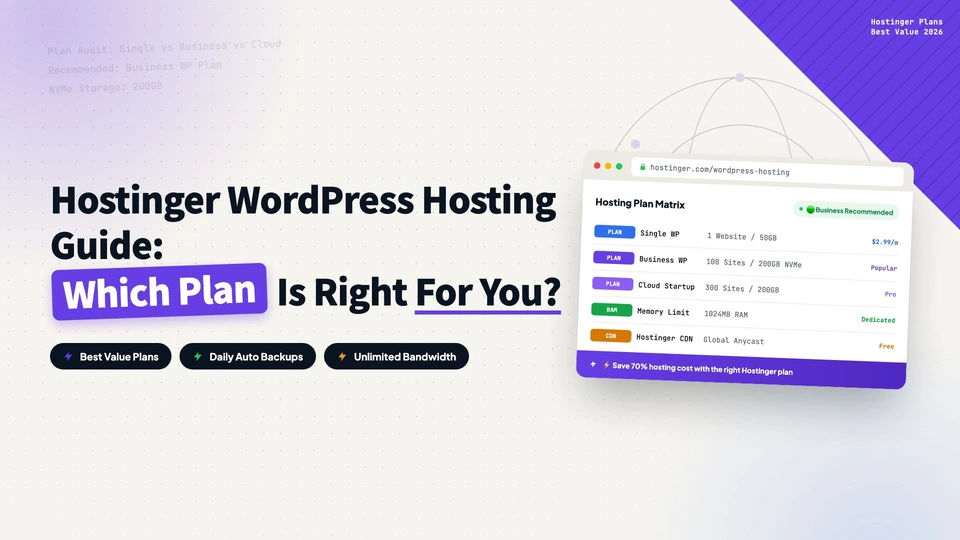
If you are looking for WordPress hosting that is affordable, easy to use, and delivers solid performance, Hostinger is hard to ignore. This guide covers what Hostinger is, its three WordPress hosting plans, who each plan is for, and how to pick the right one.
Use our partner link bdwebtek.com/hostinger to get an extra 20% off any Hostinger WordPress hosting plan, on top of existing site-wide discounts. This is an official Hostinger partner channel, so the price you pay is lower than buying directly.
What Is Hostinger?
Founded in 2004 and headquartered in Lithuania, Hostinger is one of the fastest-growing web hosting providers in the world, serving over 3 million users across 150+ countries. Its core competitive advantage is value for money.
Compared to established rivals like Bluehost and WP Engine, Hostinger’s pricing is typically half, or even less, without sacrificing performance or features. It comes with a custom-built hPanel control panel, a modern alternative to cPanel that is clean, intuitive, and beginner-friendly.
Key advantages:
- Entry-level plans from just $2.99/mo, with renewal rates well below the industry average
- Custom hPanel, more modern and intuitive than cPanel, with a built-in AI assistant
- LiteSpeed servers across all plans, outperforming traditional Apache setups
- Free SSL on every plan; select plans include a free domain
- 8 global data centers covering North America, Europe, South America, and Asia
- 30-day money-back guarantee
Hostinger’s WordPress Hosting Plans
Hostinger bakes all WordPress hosting features directly into its Web Hosting plans. You do not need a separate WordPress Hosting product: all three tiers support one-click WordPress installation, automatic updates, and security maintenance. Here are the three tiers:
| Spec | Premium | Business + AI | Cloud Startup + AI |
|---|---|---|---|
| Promo price | $2.99/mo | $3.99/mo | $7.99/mo |
| Renewal price | $10.99/mo | $16.99/mo | $25.99/mo |
| Websites | 3 | 50 | 100 |
| Storage | 20 GB SSD | 50 GB NVMe | 100 GB NVMe |
| RAM | 2 GB | 3 GB | 4 GB |
| CPU cores | 1 | 2 | 4 |
| PHP workers | 40 | 60 | 100 |
| Backups | Weekly | Daily + manual | Daily + manual |
| AI tools (Kodee) | No | Yes | Yes |
| Staging environment | No | Yes | Yes |
| Free CDN | No | Yes | Yes |
| Dedicated IP | No | No | Yes |
| Priority support | No | No | Yes |
The prices above are for the 48-month term, Hostinger’s most favorable billing cycle.
Plan 1: Premium, the Entry Choice
Premium is Hostinger’s cheapest plan at $2.99/mo. It gives you 3 websites, 20 GB SSD storage, 2 GB RAM, and 1 CPU core, which is plenty for personal projects.
Good for: students or personal blogs on a budget; portfolios for designers, photographers, or developers; small business sites that only need a basic brand page.
Limits: no AI tools, no staging environment, weekly backups only, no CDN. If your data matters or you test changes often, Premium feels limited. As a starting plan, it is still solid.
Plan 2: Business + AI, the Best Value
Business + AI is Hostinger’s most popular plan and the best value. For just $1/mo more than Premium, you get nearly double the resources: 50 websites, 50 GB NVMe storage (faster than SSD), 3 GB RAM, and 2 CPU cores.
More importantly, this tier adds the Kodee AI toolset: an AI website builder, an AI content generator, and an AI troubleshooting assistant. It also adds a staging environment, where you can test changes on a clone before pushing them live, plus a global CDN.
Good for: freelancers managing multiple client sites; small ecommerce or WooCommerce stores; growing blogs that need faster loading and daily backups; small business sites that need a professional presence plus a contact form; anyone who wants AI help writing product descriptions, generating layouts, or troubleshooting.
From Premium to Business is only $1/mo, and you get AI tools, staging, CDN, daily backups, NVMe storage, double the CPU, and more PHP workers. Unless the budget is extremely tight, start with Business.
Plan 3: Cloud Startup + AI, Professional Performance
Cloud Startup + AI targets high-traffic sites and business users. For $7.99/mo you get 4 CPU cores, 4 GB RAM, 100 GB NVMe storage, and 100 PHP workers, enough for hundreds of thousands of visits per month.
It adds a dedicated IP (useful for SEO and email deliverability) and priority support, so your tickets get handled first. The Power Boost feature automatically scales resources during traffic spikes to prevent downtime.
Good for: high-traffic content or media sites with 50k+ monthly visits; medium ecommerce stores with 100+ products; agencies hosting 50+ client sites; membership sites or LMS platforms that need logins, video courses, and downloads.
One clarification: Cloud Startup is still shared hosting, despite the Cloud name. You just get more resources and stronger isolation. If you need full root access or a custom server environment, look at Hostinger’s VPS plans (from $6.99/mo) instead.
How to Choose the Right Plan
Price alone is not the deciding factor. Use this framework instead.
By number of websites
| Websites | Recommended plan |
|---|---|
| 1 personal site | Premium |
| 2-3 sites | Premium or Business |
| 4-20 sites | Business + AI |
| 20-100 sites | Cloud Startup + AI |
By site type
| Site type | Recommended plan | Why |
|---|---|---|
| Personal blog | Premium | Low resource needs; 20 GB lasts for years of writing |
| Portfolio / resume site | Premium | A few pages, low traffic |
| Business site (corporate) | Business | Professional image and CDN acceleration |
| Content / monetized blog | Business | Daily backups protect against data loss |
| WooCommerce store | Business or Cloud | Depends on product count and traffic |
| Membership / LMS | Cloud Startup | Many dynamic requests need more PHP workers |
| Multi-client agency | Cloud Startup | 100 site slots plus priority support |
By technical needs
If any of these are must-haves, start at Business:
- Staging environment: test theme, plugin, or code changes on a clone before touching the live site
- Daily automatic backups: if the content is valuable and data loss is unacceptable
- CDN: if your users are spread across countries and need global acceleration
- AI assistance: if you do not want to write product descriptions, adjust layouts, or debug errors yourself
A Note on Renewal Prices
Every host’s promo price is far below the renewal price, and Hostinger is no exception. Business is $3.99/mo on the first term and $16.99/mo on renewal. Buy the 48-month term to lock in the promo rate, or plan to migrate to another host before the contract ends, since WordPress migration is not complicated.
Summary
90% of users should pick Business + AI. For $1/mo more than the cheapest tier, you get AI tools, staging, CDN, daily backups, NVMe storage, and double the performance.
Buy Hostinger through bdwebtek.com/hostinger to get an extra 20% off on top of the site-wide discount. The link applies the discount automatically.
Disclaimer: some links in this article are affiliate links. Buying through them costs you nothing extra, but this site may earn a small commission that keeps the blog running. Thank you for the support.
every Thursday.
Hosting reviews, builder comparisons, performance tips, and plugin picks — curated weekly for WordPress site owners and builders.