More people discover brands through AI chat answers than ever, but tracking whether your brand shows up there is expensive with off-the-shelf tools. This post lays out a DIY concept: accounts across ChatGPT, Perplexity, Gemini, and Claude Code, an AdsPower fingerprint browser to keep them isolated, daily batch questions that never mention your brand, and entity extraction from the answers to score your visibility over time.
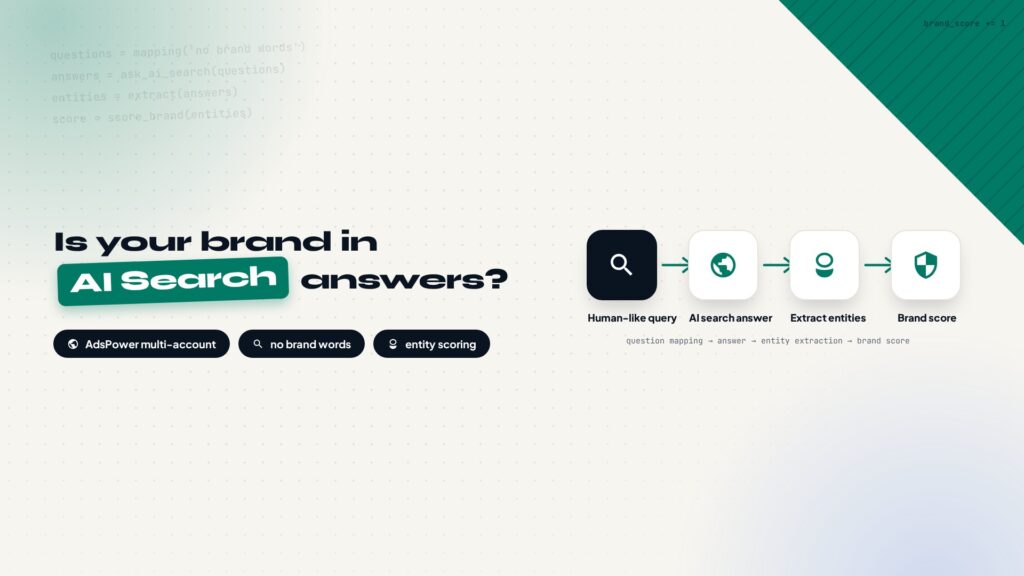
Whether your brand gets mentioned in AI search answers is becoming a metric worth tracking on its own.
Brand monitoring used to mean keyword rankings in Google results and organic traffic numbers. Now more and more people turn to ChatGPT, Perplexity, and Gemini to find answers and make buying decisions. Instead of ten blue links, they get a generated paragraph, and which brands that paragraph names, which pages it cites, decides what they see. That logic is already far from traditional Google SEO, and it has a name: GEO, generative engine optimization. This post on what GEO is explains the difference.
Traditional SEO tools can track keyword rankings, but they cannot track AI answers. AI answers are generated on the fly: ask the same question at different times and you get different results, and every platform behaves differently. If you want to know whether your brand shows up in AI search, the only way is to ask yourself.
Off-the-shelf tools are expensive, and DIY is a real path
Tools that do this already exist. Profound AI Visibility, for example, evaluates brand visibility in AI search by running large numbers of simulated questions. Pricing is generally not cheap, and an annual subscription is a real line item for a small team or a solo site owner on a budget.
The core logic is “ask AI a lot of questions, then look for your brand in the answers.” That logic can be reproduced: prepare accounts across platforms, ask questions in batches every day, collect the answers on a schedule, and extract entities from them for analysis. The result is a rough, self-built AI visibility monitor. It is not as polished as the commercial tools, but it covers the core need: simulate real consumers asking questions in a browser and see whether the brand gets mentioned.
This post lays out the whole concept. It is not a tutorial, it is a feasibility discussion, exploring how this DIY route could work and what the key design decisions are.
The system at a glance
In one sentence: prepare a set of AI accounts across platforms, isolate each account in its own fingerprint browser environment, generate a large pool of questions around the brand without ever naming it, ask them in batches on a daily schedule, collect the answers, then extract entities to see whether the brand is mentioned and whether its pages are cited, building up a visibility score that keeps updating.
The workflow in five steps
Accounts
Free and paid, across platforms.
Environment
Fingerprint browser isolates accounts.
Question pool
Generated around the brand.
Daily questioning
Script spreads questions on schedule.
Collect and score
Extract entities, score exposure.
Account setup: regular sites do not need many accounts
A common assumption is that this kind of monitoring needs dozens or hundreds of accounts. Most regular sites do not need that many. The number depends on the brand’s traffic and awareness: only sites with very large traffic or very well-known brands need dozens or even hundreds of accounts to cover different audience segments and regions. For the vast majority of sites, this setup is enough:
| Platform | Recommended accounts | Role |
|---|---|---|
| ChatGPT / ChatGPT Plus | 1-2 | OpenAI-family answers |
| Claude Code (paid) | 1-2 | Developer-oriented answers |
| Perplexity (paid) | 1-2 | Citation-heavy answers |
| Gemini (paid) | 1-2 | Google-family answers |
| Free accounts on each platform | A few | More samples at zero cost |
Paid accounts tend to give more stable answers and better web-search behavior; free accounts expand the sample. Mixing them keeps the account profile closer to a real user base.
Environment: AdsPower fingerprint browser is the foundation
Running many accounts long-term is mostly an environment-isolation problem. Logging into a pile of accounts in one browser is a fast way to get them associated with each other, and one flagged account can drag down the rest. A fingerprint browser gives every account its own environment, with its own fingerprint, cache, and login state, so accounts do not interfere.
I plan to use AdsPower for this. It creates fingerprint environments in bulk, each environment can have its own proxy, and accounts stay logged in long-term without constant logins and logouts. Environments stay open, and the questioning script runs inside them, which behaves closer to a real user. For the network details of giving each environment its own proxy, this guide on proxy setup for social platforms covers it.
AdsPower also has an API, which is the key part. Environments, account switching, opening and closing browsers can all be scripted, and that is the foundation for automated batch questioning. A fingerprint browser without an API only works manually, and manual operation cannot keep up with a daily questioning schedule.
Question mapping: no brand words in the questions
The core asset is the question pool, or question mapping. The idea is to generate a large number of questions around the brand, the company, and the products, covering the scenarios real users ask about: finding similar products, comparing options, reading reviews, asking about pricing. The pool has to be large enough for the sample to be statistically meaningful.
There is one hard rule: no question may contain the brand name. Why so strict? Because AI accounts have memory. If an account keeps mentioning a brand, the brand enters the account’s memory, and future answers will lean toward mentioning it on their own. The answers start flattering you, and the monitoring goes blind. Call it the data trap: once you fall in, daily numbers drift upward and it is hard to notice.
The question pool therefore needs brand-word filtering at design time and at maintenance time, and the questioning script should include one more check so a brand word never sneaks in by accident.
Batch questioning should mimic human rhythm
Once accounts and environments are ready, the rest is script work. The AdsPower API can open a specific environment in the browser, navigate to the platform, type the question, and capture the answer. A scheduled task on a local machine sends questions in batches during a fixed window every day and stores the answers.
Why not just run Codex or Claude Code, the command-line agents, and ask all the questions in bulk? Because they talk to the API channel, and the answers they get are not what a consumer sees in a browser. The browser side has login state, account memory, and UI differences, and all of that shapes the AI’s answer. The point of monitoring is to simulate real consumers, so the browser route is mandatory, which is why the whole system sits on top of AdsPower.
Batch questioning also has to respect a few anti-risk rules:
- Cap the number of questions per account per day. A normal user asks tens to a hundred questions a day; a few hundred is suspicious and invites rate-limiting.
- Randomize the interval between questions. Do not send one every minute or two on a fixed timer; use a random 3-20 minute gap so the rhythm looks human.
- Type like a human. The script should not dump the whole sentence into the input box at a uniform machine speed. Type unevenly, with pauses, and make the pause lengths random.
- Leave the occasional typo. Real people misspell words, and a few typos across dozens of daily queries are normal. They do not stop the AI from understanding the question, and the answers stay just as good, but the operation pattern reads more human.
Extract entities from answers and score brand exposure
Every day’s answers need to become analyzable data. The approach is to extract content entities from the answer text, meaning the brands, products, sites, and links mentioned in it, then match them against your own brand-word list: whether the brand is named directly and whether its pages are cited, and whether the mention reads positive or neutral.
Each answer gets a score by rule: a direct brand mention earns base points, a cited brand page adds more, a competitor mentioned without your brand deducts. Aggregate the answers across accounts by day, by platform, and by question type, and you get a trend line for brand visibility in AI search. Run it for a while and it becomes a continuous evaluation system: you can see which platform coverage is weak and in which question categories your brand disappears entirely. From the other side, making your own pages easier for AI to cite is a related problem, and this post on writing AI-friendly blogs with ChatGPT complements it nicely.
Give accounts personas to simulate real searches
Real users are not cut from one mold. Some have a technical background and ask with precise wording; some are ordinary consumers with casual phrasing; some have a clear budget and open with price comparisons. To simulate that diversity, each account can carry a persona.
Each account already has its own AdsPower environment, so the persona can shape the rest: registration details, avatar, asking habits, and preferred question types all follow the persona. The same question pool then produces answers from different perspectives rather than a single viewpoint, and the monitoring result is closer to the real market.
Where the DIY version falls short
To be fair, the DIY version has real limits compared to a tool like Profound AI Visibility:
| Dimension | Commercial tool | DIY version |
|---|---|---|
| Account scale | Large account pool, wide platform and region coverage | Few accounts, small sample |
| Scheduling | Mature scheduling and anti-risk algorithms | Your own script, your own rules |
| Data stability | Large sample, low variance | More variance, needs a longer window to smooth |
| Reporting | Ready-made dashboards | Build your own, display it however you like |
| Cost | Annual subscription, expensive | Account subscriptions plus AdsPower |
| Maintenance | Handled by the vendor | You replenish accounts after flags |
On the other hand, the DIY version has one advantage the commercial tools cannot match: full transparency. The question pool, the scoring rules, and the analysis dimensions are all under your control, and you can adjust them anytime. For solo site owners and small teams on a budget who still want to keep an eye on how the brand shows up in AI search, this route is viable.
Wrapping up
The system is still at the concept stage. This post lays out every design decision: how to set up accounts, how to build the environment, how to design the questions, how to keep the questioning under the risk radar, and how to analyze the data. When you actually build it, every step has a clear tool and a clear path.
If you are also watching your brand’s visibility in AI search, I would like to hear how this plan could be improved, or which pitfalls you have already hit.
every Thursday.
Hosting reviews, builder comparisons, performance tips, and plugin picks — curated weekly for WordPress site owners and builders.