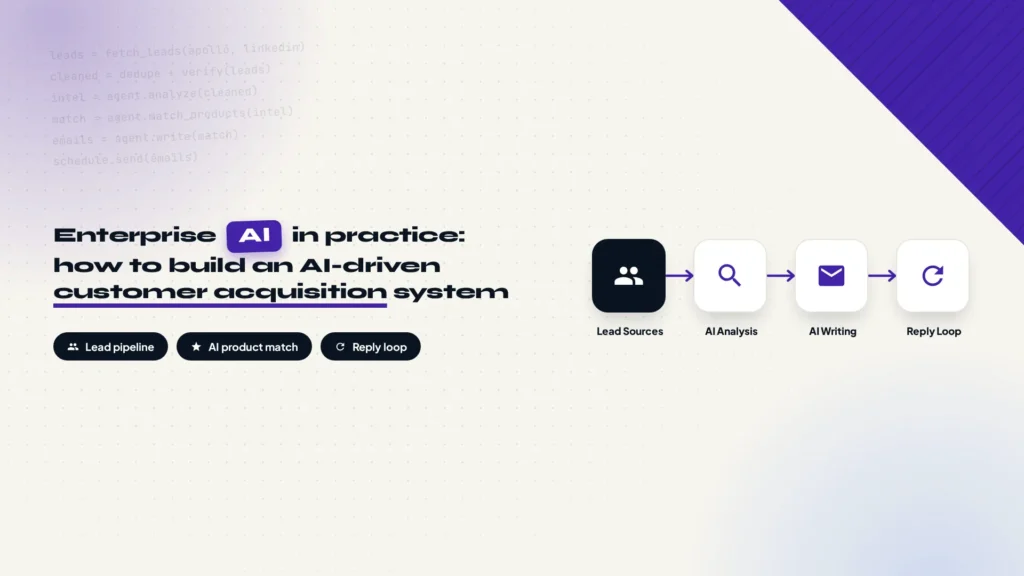
A real enterprise project, broken down end to end: sourcing and cleaning leads, giving the AI agent a company knowledge base, matching products to prospects, generating and sending outreach emails, handling replies, and using Codex and Claude Code to build the whole system under control.
Why rethink how your business finds customers?
Over the past few years, most companies have accumulated a pile of digital assets: CRM records, historical inquiries, trade-show lists, website visitors, product collateral. The data is real, yet none of it turns into business opportunities by itself. New customer acquisition still runs on manual labor: searching for target companies, researching prospects, hunting for contacts, writing outreach emails, chasing replies. Every step is done by hand.
That leaves two bottlenecks: dormant customer data that never gets reactivated, and a constant struggle to find new qualified prospects. This article documents an AI agent-driven customer acquisition system we designed to solve both. The goal was not another mass-mailing tool. It was to get AI involved across the entire sales development process and turn both paths into pipelines that actually run.
System goals and the overall architecture
The system is a complete outreach pipeline: lead generation, customer intelligence, and outreach automation working as one flow. Leads enter from multiple sources, get cleaned, analyzed, and matched against products, then land in email generation, send scheduling, and reply tracking. No salesperson moves data between steps by hand.
The full flow has eight stages:
The pipeline, from lead sources to sales handoff
Lead Sources
Multiple list channels
→
Data Processing
Dedupe, verify, clean
→
Customer Intelligence
AI reads the business
→
Product Matching
Spot likely needs
AI Content Generation
Outreach emails in batch
→
Email Scheduling
Limits and send windows
→
Reply Detection
IMAP polling
→
CRM / Sales Handoff
Human follow-up
From an engineering view, the eight stages collapse into five layers: a data collection layer that pulls lists in, a data processing layer that cleans and enriches them, an AI reasoning layer that analyzes customers and writes content, an execution layer that handles scheduling, sending, and state, and a feedback loop that returns replies and bounces into the system. The rest of this article walks through each layer in that order.
Lead data, from manual search to an automated pipeline
Why data comes first
Most people assume AI prospecting starts with writing emails. It does not. It starts with finding the right people, and if the input is wrong, stronger AI only scales the mistake: the system happily sends three thousand well-crafted emails to companies that were never a fit, each one perfectly aimed at the wrong target. So the first thing this system builds is not writing ability. It is a Lead Pipeline, a clean list channel that can grow.
Automated prospect search
For new customer development, lists come from a few places: Apollo and similar B2B contact databases, LinkedIn Sales Navigator, search APIs like Serper and Google Search API, plus custom crawlers for specific industries. In this project Apollo was the primary source, with other channels layered on top.
Recommended reading: How to set up Apollo email marketing from signup to automated sequences.
Search is not a keyword thrown at the internet. It is a structured set of conditions, usually five dimensions combined:
- Country
- Industry
- Company Size
- Job Title
- Keyword
Say an automotive parts manufacturer wants to reach purchasing contacts in the U.S. aftermarket. The filter looks something like this:
| Filter | Value |
|---|---|
| Country | United States |
| Industry | Automotive Aftermarket |
| Job Title | Purchasing Manager / Engineering Manager / Owner |
A finished search returns more than an email address. Each record carries the company name, website, contact name, job title, email, and LinkedIn profile. Those fields become the input for AI customer analysis later, so it pays to capture extra fields now instead of storing a bare address.
Where existing customer lists come from
The search flow above covers new customer sources. Existing customer leads run through a separate pipeline inside the system, and their source is not an external channel at all. It is the dormant data already sitting in the CRM. A dormant customer usually falls into one of two buckets: someone who asked for a quote or consulted about a product but never closed, and someone who bought once or twice and then stopped reordering for a long stretch. These accounts do not need searching or filtering. They are already in the system. The question is how to reactivate them.
Enriching a dormant customer list needs one extra field compared with new leads. Besides the basics such as company, contact, and industry, every row must carry the customer’s past transaction and communication history. Ideally that is a full timeline that reconstructs every inquiry, quote, purchase, and follow-up in order. If the CRM cannot produce anything that detailed, at minimum write a summary of the record that captures the key facts: what products the customer asked about, what was quoted, where the deal stalled, what they bought, and roughly how often they buy. Without that history, the AI analysis and email generation later have nothing to work from.
Cleaning and enrichment
Raw lists never go straight into AI. They pass through a cleaning step first. Deduplication stops the same contact from being hit twice, email verification filters out invalid addresses, generic mailboxes like info@, and risky domains, and surviving records get enriched with company background from the website, Serper API, or business databases: what the company makes, its product direction, its industry. Existing customer records get one extra check in the same pass: their interaction history field must be complete, with a timeline or at least a summary attached, before they move on.
After cleaning and enrichment, each record becomes a structured entry in the Lead Database, roughly in this shape:
{
  "company": "Motorsport Suspension Manufacturer",
  "contact": "[email protected]",
  "industry": "Automotive Aftermarket",
  "country": "United States",
  "website": "https://example.com",
  "business_summary": "Designs and builds suspension systems for motorsport and performance vehicles",
  "potential_products": ["Rod Ends", "Spherical Bearings", "Linkage Components"]
}
Give your AI agent a company knowledge base first
This is one of the most important design decisions in the whole system. Most AI projects fail not because the model is weak, but because the AI has no idea what your business actually does: what you sell, where your edge is, which customers you should turn down. Expecting a model to write outreach on general knowledge alone is like sending a new hire who skipped training straight into customer meetings.
Build business context, not just prompts
Our approach is to prepare a company knowledge document first, company-profile.md, with everything a salesperson needs to know written down in a structured way: company background (founded, positioning, production capacity, markets served), product details (categories, technical specs, use cases), certifications (ISO, RoHS, SGS, and others), customer cases (industries served, applications, cooperation models), and commercial rules (MOQ, Lead Time, Payment Terms, Sales Style).
| Knowledge block | What it contains |
|---|---|
| Company background | Founded, positioning, production capacity, markets served |
| Product details | Categories, technical specs, use cases |
| Certifications | ISO, RoHS, SGS, industry certificates |
| Customer cases | Industries served, applications, cooperation models |
| Commercial rules | MOQ, Lead Time, Payment Terms, Sales Style |
What you are really doing is onboarding the AI agent. A new salesperson does not contact customers on day one. They first learn three things: who the company is, what it sells, and why it wins. The agent works the same way. A perfect prompt matters less than letting it read company-profile.md before it ever touches customer data.
Key Takeaway
An AI agent is only as good as its understanding of your business. Company knowledge first, prompts second, is the foundation this system stands on.
AI customer analysis and product matching
From template emails to sales judgment
Traditional email automation is template substitution: Customer Name plus a Template equals an email, and the only thing that changes is the salutation. The AI system works on completely different input. It receives the customer’s business, industry, product usage, and your company knowledge, and the output is not an email but an outreach strategy: whether this contact is worth pursuing, which products they might need, and what angle the first message should take.
| Aspect | Traditional email automation | AI system |
|---|---|---|
| Input | Customer name + fixed template | Customer business + industry + product usage + company knowledge |
| Output | One templated email | Outreach strategy with recommended products and angle |
| Granularity | Automotive industry customer | Down to the specific product category they may buy |
| Core question | What do we want to sell? | Why might this customer need us? |
A real example from the project: the customer was a Motorsport Suspension Manufacturer. After analyzing its business and product line, the AI did not file it under “automotive industry customer”. It inferred concrete needs: Rod Ends, Spherical Bearings, and Linkage Components, the specific linkage parts this kind of manufacturer buys, then wrote the outreach around those categories.
Analysis of an existing customer adds one more layer of input on top of the new-lead logic: history. For a new lead, the AI works from the company’s business and what it might need. For an existing customer, the AI also receives the full transaction and communication timeline, or at least a summary of past interactions, and the question changes accordingly. For new leads it is “does this company need our product?”. For existing customers it becomes “why did the last deal stall, and what new trigger can reopen the conversation?” or “they bought once and then went quiet, are they due for another purchase?”. Product recommendations for existing customers are built on the categories they bought before, not inferred from zero.
The whole judgment comes down to one sentence: not “what do we want to sell”, but “why might this customer need us”. Get that right and the AI writes relevant messages. Get it wrong and every email reads like spam the moment it lands in the inbox.
AI decides, code executes
This is the biggest difference between an enterprise AI system and a demo agent. Demos let the agent do everything on its own, which looks clever until it runs in production: it sets its own sending pace, edits its own data, and when something breaks nobody knows which step did it. Business systems need control, so the architecture splits into two layers.
The AI Layer handles work that needs judgment: understanding customers, classifying them, matching products, writing email content, analyzing replies. Models can be swapped per task, say Claude or GPT for complex reasoning and DeepSeek for batch generation.
The Execution Layer handles deterministic work: scheduling, API calls, state management, data writes, and email sending. It is built with Python Scheduler, Worker, and Database components, and its logic has to be fully predictable.
| Aspect | AI Layer | Execution Layer |
|---|---|---|
| Responsibilities | Understand, classify, match products, write content, analyze replies | Schedule, call APIs, manage state, write data, send emails |
| Implementation | Claude / GPT / DeepSeek | Python Scheduler / Worker / Database |
| Nature | Needs flexibility | Needs certainty |
| Decision boundary | Can judge “this contact is worth pursuing” | Decides how many emails go out and when |
Why split it this way? Because AI is good at open questions and business systems need deterministic answers. AI can judge that a contact is worth pursuing. It cannot decide to send 500 emails today. Volume, timing, and retry rules are hard constraints owned by the execution layer, and AI only makes judgments inside those boundaries. That separation is what keeps the whole system stable.
Email generation design
Generate offline in batches, not in real time
A common mistake is calling the model in real time during sending: send one, call the model, send the next. Production does not want that. It is slow, cost is unpredictable, and there is no chance to review anything. We generate offline in batches instead: the whole list goes through AI at once, results move into human review, and only approved messages enter the sending queue.
Email generation flow: batch first, review second
Lead Database
Cleaned list
→
Batch AI Generation
One pass over the list
→
Human Review
Spot-check and edit
→
Sending Queue
Approved and queued
Offline batch generation delivers exactly what production needs. Content can be reviewed, so a sales manager sees every message before it ships. It can be edited, so a wrong angle can be fixed across the whole batch before release. It costs less, because batch model calls are far cheaper than per-email real-time calls. And it is stable, because sending no longer depends on model API availability in the moment.
Email generation rules
Generation rules are hard constraints in the system: plain text only, short copy, a single CTA, and no marketing words. Plain text and short copy protect deliverability and readability. One CTA gives the recipient exactly one thing to do. No marketing words keeps the message away from spam filters.
Every generation call takes three inputs: Customer Profile, Company Knowledge, and Product Match, plus an extra Interaction History entry when the target is an existing customer. It returns four parts: Subject, Body, Reasoning, and Recommended Product. Reasoning is the model’s explanation of why this contact is worth pursuing. Recommended Product is the main item it suggests pushing. Neither column is for the recipient. Both are for human review and later analysis.
Existing-customer emails carry one extra generation rule: the body must reference concrete history. When a salesperson follows up with an existing customer in person, the opener is always “you bought our Rod Ends last year, how are they holding up?” or “you asked about our linkage components before, are you still considering them?”, never a cold self-introduction. AI-generated emails to existing customers work the same way. They should mention the products purchased, the questions asked, or where the last conversation stopped, drawing on the Interaction History. Only then does the recipient read the message as written for them, not as part of a batch blast.
Email infrastructure design
The place where cold email systems fail most often is not AI. It is the sending infrastructure. Great copy that never reaches an inbox is worth nothing, and one wrong configuration lands you in spam.
Tooling
| Component | Role |
|---|---|
| Mailgun | Email sending API |
| IMAP | Reading replies |
| SPF / DKIM / DMARC | Domain authentication, the price of admission to the inbox |
| Dedicated Domain | Isolates the sending domain and protects the main domain’s reputation |
| VPS | Keeps the system running around the clock |
Email protocols and delivery verification are the two places people trip over. What IMAP, POP, and SMTP each do determines how a mail client sends and receives, and this system’s reply detection depends on IMAP reads. The background is in this article on what IMAP, POP, and SMTP are. Before going live, send a test email to a test mailbox and confirm it will not land in spam. How to read the verdict is in this post on using Gmail Authentication-Results to tell whether a test email will hit spam.
The point worth calling out in this stack is the dedicated domain. Sending domain and main domain are separate, so if the sending domain ever gets flagged by an email provider, the company’s own mailbox reputation stays clean. SPF, DKIM, and DMARC must all be configured before the first send. For the exact setup, see our guide to configuring SPF, DKIM, and DMARC in Cloudflare.
A sending domain is added separately inside Mailgun, then the Sending, Tracking, and Authentication records have to be resolved through DNS, and once verification passes you create a sending key for the system to call. The full walkthrough is in How to set up a Mailgun sending domain.
Sender reputation control
A new mailbox that starts at full volume is basically self-sabotage. Reputation control is the most important design in the scheduling layer, and four parameters are non-negotiable: Warm-up (ramp volume gradually), Sending Limit (daily cap), Random Interval (randomized gaps between sends), and Time Zone Delivery (send in the recipient’s local time).
All of these parameters constrain a single mailbox. If the business needs to send a few hundred emails a day, the answer is not to push one mailbox past its cap. It is to scale horizontally by configuring several mailboxes on different subdomains, for example one sending address on mail1.example.com and another on mail2.example.com. Every mailbox still ramps up on its own warm-up schedule and keeps its own daily cap and random intervals. Subdomain reputations are isolated from each other, so if one mailbox gets flagged it does not drag down the main domain or the other accounts, and total throughput becomes the sum of all mailboxes.
Volume ramps on a schedule. The cadence used in this project:
| Stage | Daily sending cap |
|---|---|
| Day 1 – 3 | 10 emails / day |
| Day 4 – 7 | 20 emails / day |
| Day 8 – 12 | 35 emails / day |
| Day 13 onward | 50 emails / day |
Warning
Do not skip stages during warm-up. A new mailbox that sends hundreds of emails on day one gets flagged by the provider, and recovering domain reputation afterwards costs several times more than the ramp would have.
The reply loop
Sending is not the finish line. Replies are. Once an email goes out, the system has to answer three questions: is this a human reply, an autoresponder, or a bounce?
Reply handling loop
Email Sent
Outreach delivered
→
IMAP Monitoring
Poll the inbox
→
Reply Classification
AI sorts the reply
Stop Sequence
No more follow-ups
→
CRM Update
State written back
→
Sales Follow-up
Human takes over
Classification happens in the AI Layer. A human reply stops the follow-up sequence for that lead immediately, updates the CRM, and hands the conversation to sales. An autoresponder such as an out-of-office notice lets the sequence continue, since the contact will pick it up later. A bounce sends the address to the Suppression List, and the system never emails that address again.
Tech stack and cost
Nothing in the stack is exotic. Every component is mature tooling, split into four groups:
| Category | Tool | Role in this system |
|---|---|---|
| AI development | Claude Code / Codex | Architecture, code generation, debugging, deployment |
| AI models | Claude Opus | System design, complex reasoning |
| AI models | DeepSeek | Batch email generation, large-scale tasks |
| Data | Apollo | Lead list acquisition |
| Data | Serper API | Company information enrichment |
| Mailgun | SMTP / API sending, tracking, bounce handling | |
| Deployment | VPS + Docker | Long-running service, isolated environment |
AI coding tools did most of the development work. Claude Code and Codex handled architecture, code generation, and debugging, while the developer broke down tasks, wrote constraints, and verified results. Models are tiered by task: Claude Opus for complex reasoning, DeepSeek for large batch generation where cost matters.
Treating Claude Code and Codex as primary development tools assumes subscription and account stability are sorted out. If you do not have a credit card, this guide to subscribing to ChatGPT and Claude Code without a credit card covers the payment side. Heavy daily use also carries an account risk, and this post on reducing Claude Code account risk walks through what we hit and how to avoid it.
Running the system does not need an expensive machine. A 2 Core, 2GB RAM VPS with Ubuntu 24.04 and Docker is enough, and for a long-running project like this, a Hostinger VPS fits the requirements and the budget.
How to get Codex and Claude Code to build complex systems
At this scale you cannot throw “build me an email system” at an AI and walk away. Large AI development projects start with a documentation structure that gives the agent long-term context. The project folder has a fixed layout from day one:
project/
├── BRAINSTORMING.md
├── PLAN.md
├── CLAUDE.md
├── PROGRESS.md
├── TODO.md
└── .env
| File | What it records |
|---|---|
| BRAINSTORMING.md | Business goals, why the system exists |
| PLAN.md | The development plan and build order |
| CLAUDE.md | Project rules the agent must follow |
| PROGRESS.md | Current state, what is already done |
| TODO.md | Pending work, what comes next |
| .env | Environment variables and secrets, kept out of version control |
These files matter because every new session can read the project state and pick up where the last one stopped, instead of rebuilding context from scratch. CLAUDE.md is the key one. It turns the red lines from earlier sections, sending cadence, human review, no AI-controlled send volumes, into project rules the agent follows while it codes.
Lessons from running a real project
These are the lessons that survived contact with reality, each one earned the hard way.
Data quality beats model quality
AI does not fix bad data. It amplifies it. A list with invalid addresses gets every follow-up sent faithfully, burning send quota and dragging down domain reputation. Treating data cleaning as a first-class citizen before launch pays off far more than swapping in a stronger model.
Do not let the AI run fully free
Business automation needs boundaries. AI judges which contacts are worth pursuing. Volume, timing, and retry behavior live in the execution layer, and a human keeps final review. The demo-style agent that decides everything on its own looks impressive and becomes an incident in production.
Validate small before scaling
Never blast a ten-thousand-row list on the first pass. The working path is test, tune, then scale: run a small batch through the whole flow, confirm deliverability, reply rate, and content quality, then increase volume step by step. Every expansion in this project came with another round of send-parameter tuning, and small-batch validation is the only pace that does not blow up.
Pro Tip
Before a real launch, rehearse with a small batch end to end: send, receive replies, watch the bounce rate, adjust the copy. Only raise the daily cap after the numbers look healthy. It is far steadier than one giant send.
What AI agents actually change is the business workflow
On the surface this system is email automation. Underneath it is a redesign of how a company acquires customers. Buying software used to mean buying a tool, with data scattered across the CRM, spreadsheets, and salespeople’s heads. Doing AI properly means converting the company’s own data, business rules, and workflows into a system that runs on its own.
The division of labor is simple in the end: AI understands, code executes, people create value. AI decides which contacts deserve a conversation. Code keeps sending stable and compliant. Salespeople spend their time on prospects who actually replied. That is what enterprise AI looks like when it is real, and it is the one thing this project set out to prove.
every Thursday.
Hosting reviews, builder comparisons, performance tips, and plugin picks — curated weekly for WordPress site owners and builders.